

35 performance optimisations for your WordPress site
A page built with Canvas downloads the CSS and JavaScript of the blocks it renders and nothing else. On top of that sit 35 optimisations, each one a switch you control, with conservative defaults and a plain explanation of what it does.
Per-block asset loading
Most themes ship one large stylesheet and one large script, and every page pays for every feature in the theme. Canvas maps each of its 258 blocks to the CSS and JavaScript that block needs, then enqueues the union of what the page actually rendered.
- A pricing page never downloads the slider script
- A page with no form never downloads the form handler
- The editor loads block styles the same way
- Nothing to configure, and no way to accidentally turn it off
Declared, not guessed
Each block declares its own assets. The map lives in the block, so there is no central list for somebody to forget to update.
Works with core blocks
Core and third-party blocks keep their own loading behaviour. Canvas does not take over their assets or fight WordPress for them.
Templates count too
Headers, footers, page titles and sliders are blocks as well, so a page that uses a simple header does not load the mega menu code.
Nothing to buy
Conditional loading is not a premium feature or an add-on. It is how the library works on every plan and on an expired licence.
35 optimisations, grouped by what they touch
Nothing here is magic and nothing here is hidden. Each one does a specific, checkable thing to the page WordPress sends.
Loading 7
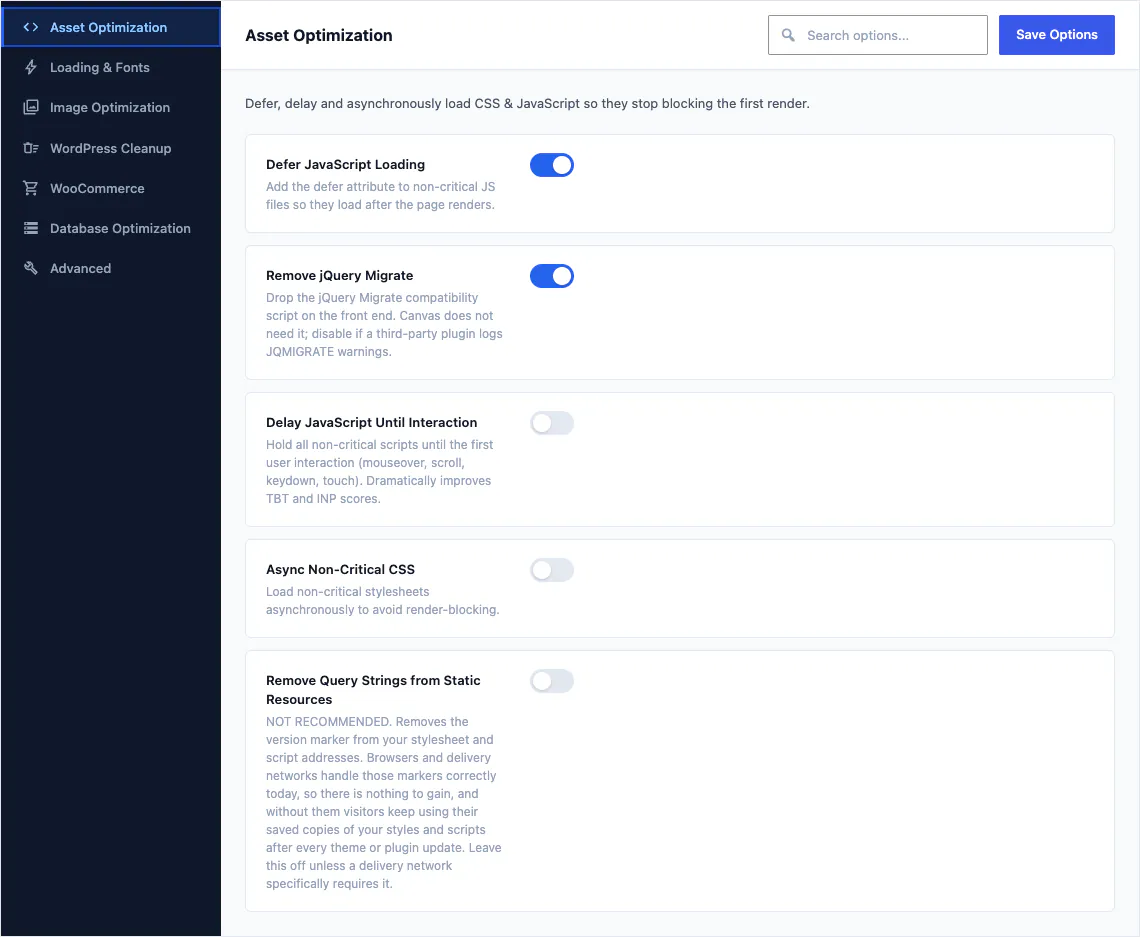
Stop CSS and JavaScript blocking the first render, and start the next page early.
- Load non-critical stylesheets asynchronously
- Defer non-critical JavaScript
- Delay JavaScript until the first interaction
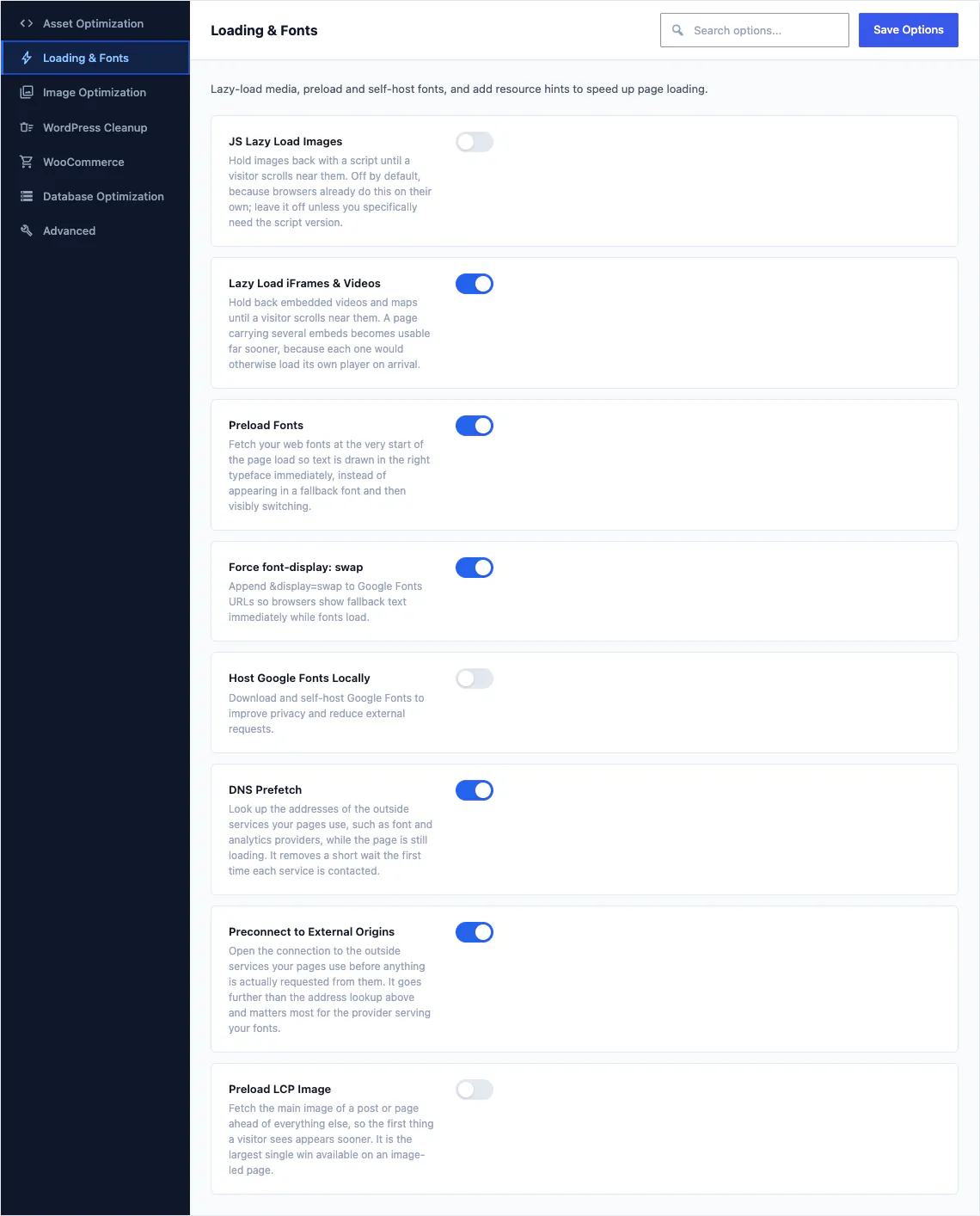
- Preload the largest image above the fold
- Preconnect to the origins the page will use
- DNS prefetch for third-party hosts
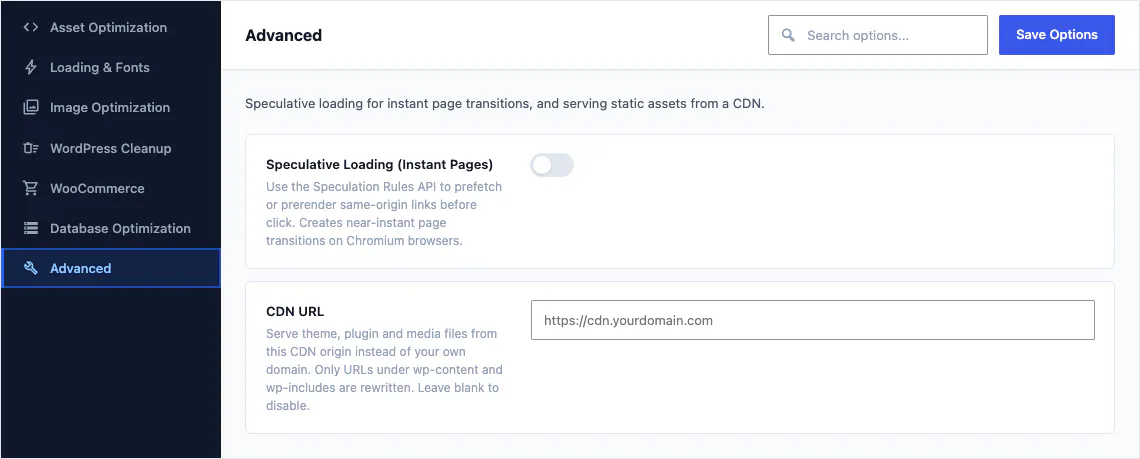
- Speculative loading, so the next page is fetched before it is clicked
Fonts 3
Text stays readable while a web font is still arriving, and Google fonts need not be a third-party request at all.
- Add font-display swap to your web fonts
- Preload the fonts the first screen needs
- Serve Google fonts from your own server
Media 6
Images are the heaviest thing on most pages and the easiest to get wrong.
- Lazy load images below the fold
- Lazy load iframes and embeds
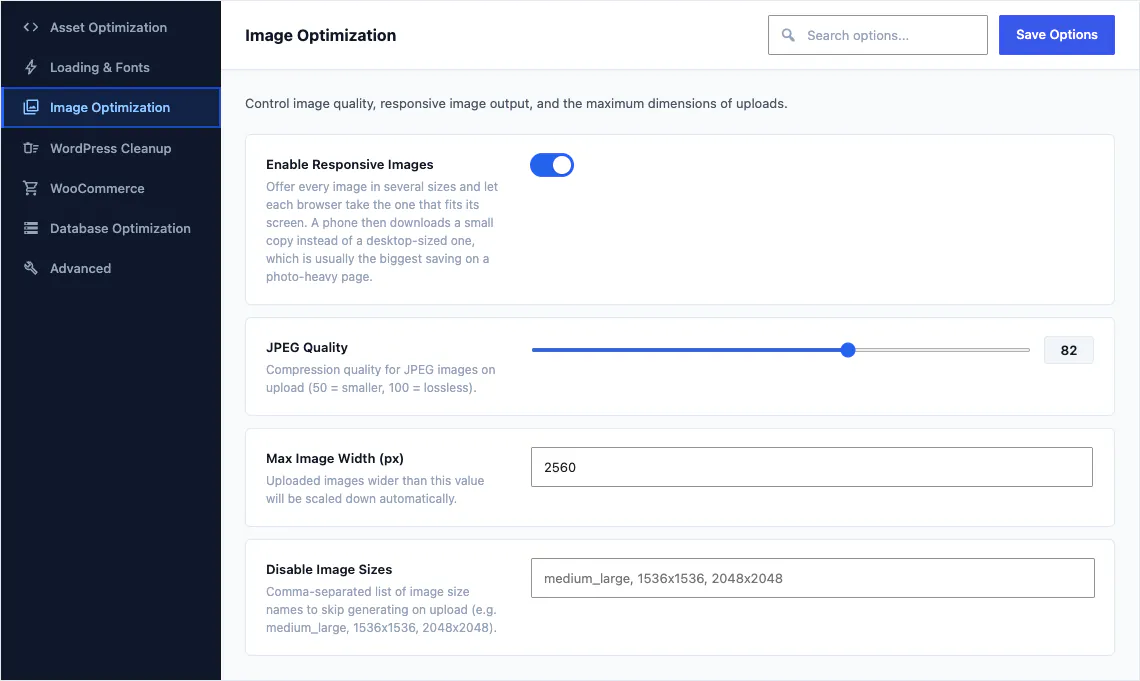
- Set the JPEG quality WordPress generates
- Cap the maximum width of uploaded images
- Control the responsive image sets WordPress writes
- Control which image sizes are generated at all
Cleanup 8
WordPress ships features every site pays for and few sites use.
- Remove query strings from static resources
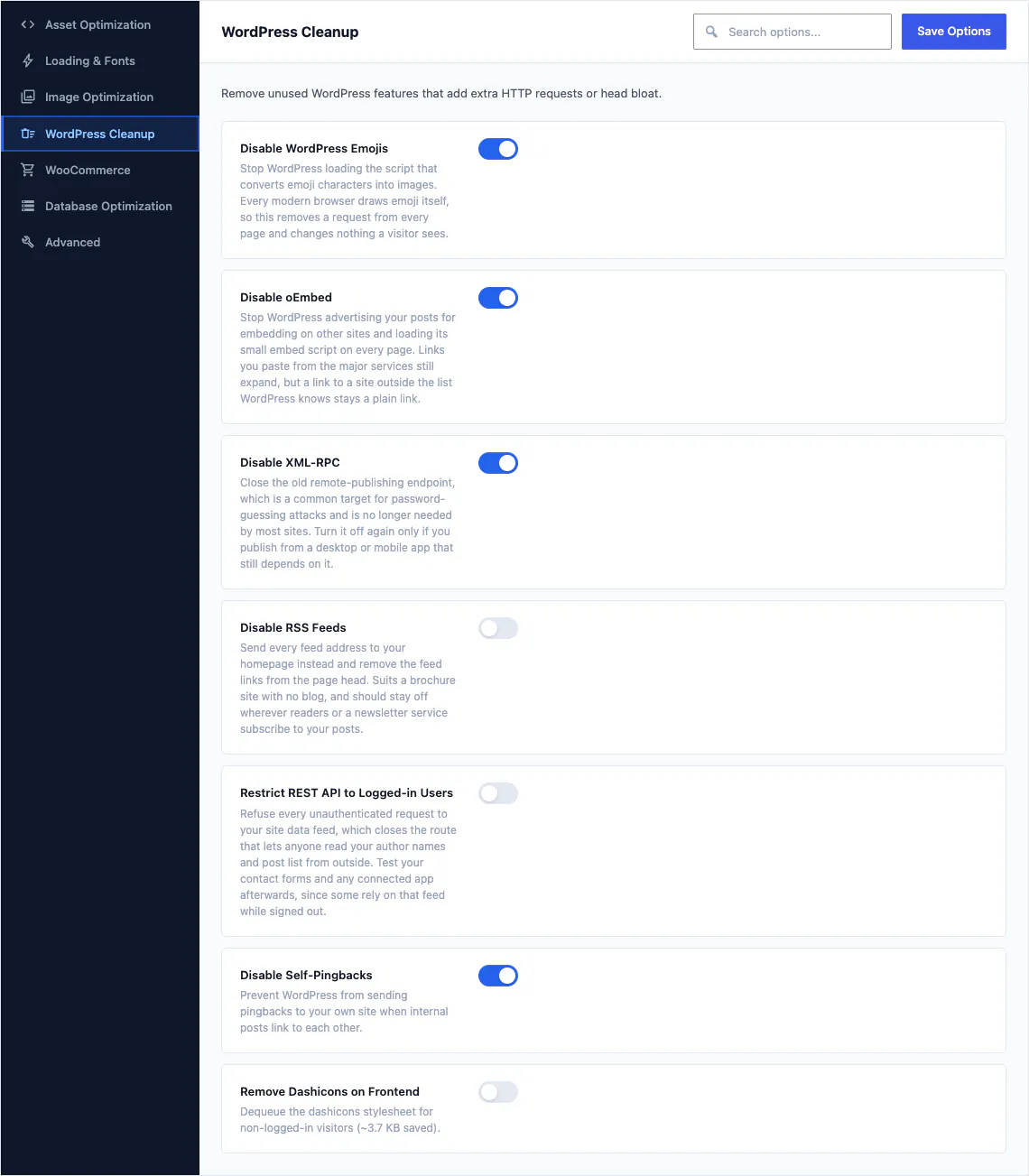
- Disable emoji scripts and styles
- Disable oEmbed discovery and the embed script
- Disable Dashicons on the front end
- Disable XML-RPC
- Disable RSS feeds
- Remove jQuery Migrate
- Disable self pingbacks
Database 5
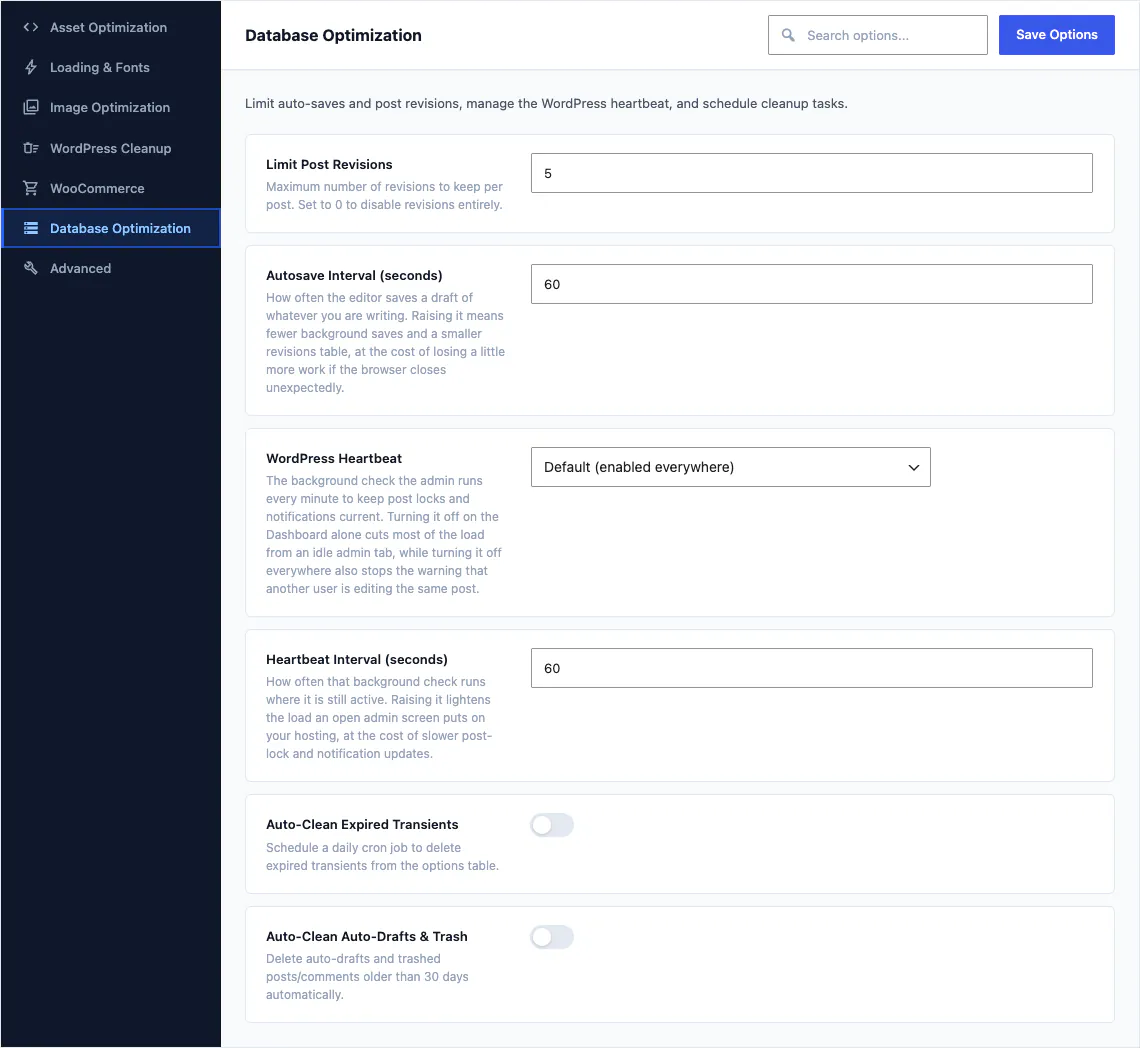
The admin side of a slow site: revisions, autosaves and a heartbeat that never stops.
- Limit how many revisions a post keeps
- Set the autosave interval
- Throttle or disable the admin heartbeat
- Clean revisions, transients and spam out of the database
- Restrict the REST API to logged-in users
WooCommerce 5
A store loads its scripts on every page of the site, including the ones that sell nothing.
- Remove WooCommerce JavaScript on pages with no store output
- Turn off order attribution tracking
- Stop the cart fragments script polling on every page
- Drop the password strength library outside account pages
- Drop the bundled Select2 library outside checkout
Content delivery network rewriting 1
Point your stylesheets, scripts, images and fonts at a delivery network you already pay for by rewriting their addresses as the page renders. Canvas does not sell you a network and does not proxy your traffic through ours.
That is 35 switches in total, and the WooCommerce five only appear when WooCommerce is active. More on the store integration.
Every one of them is a switch, and the defaults are conservative
Canvas turns on what is safe for any website and leaves the rest to you, with the reason written next to the control. The one setting that is usually a bad idea says so in the panel, where you are standing when you decide.
SEO and accessibility foundations
A page that loads quickly and cannot be read, crawled or operated with a keyboard is not finished. All of this is in the theme itself, on every plan, with nothing tiered behind an upgrade.
Metadata from your content
Titles, descriptions, social cards, canonical URLs, robots rules and a sitemap, all derived from the page as it renders. There is no second copy of your own content to keep up to date.
16 schema types
Organization, WebSite, WebPage, Person, breadcrumbs, Product, Brand, Offer, Review and rating, address, geo coordinates, opening hours and site search, emitted where they apply.
Semantic landmarks
Header, navigation, main and footer landmarks, a skip link to the content, headings that follow their order, and visible focus on everything you can reach.
Keyboard menus
Menus, mega menus, side panels and modals open, move and close from the keyboard, and motion respects a visitor's reduced-motion setting.
Accessibility, security and data export are never premium features. They stay available on an expired licence, because a website that stops being usable is a support problem, never a licensing decision.
How we verify this
Claims about speed and accessibility are easy to make and easy to check. We check ours, and here is how.
Pages are compared with their designs in a real browser
Every demo page is rendered in a browser and measured against the design it comes from: document height, section widths, computed spacing, and anything driven by JavaScript measured once it has run, never at first paint.
This website is audited at three widths
Every page here is run through axe-core against WCAG 2.1 A and AA at 1440, 1024 and 390 pixels, together with the checks axe does not make: one h1, heading levels that never skip, the four landmarks, a working skip link, no horizontal overflow, no text under 12 pixels, links that read as text and tap targets of at least 24 pixels.
What Canvas needs to run
WordPress
Canvas is built on the block editor, so it needs a WordPress with the Site Editor. Version 6.8 or newer.
PHP
PHP 7.4 or newer. A current PHP release is the single cheapest speed improvement most sites can make.
Tested up to
Canvas is tested against WordPress 7.1, and an update follows each WordPress release.
About performance
Including the one we get asked most, which is why there are no scores on this page.
Do I still need a caching plugin?
Probably, and that is the honest answer. Canvas controls what a theme and WordPress control: which assets a page loads, how fonts and images behave, and how much work the database does. Page caching, object caching and edge delivery belong to your host or a caching plugin. They are different jobs, so running both is the normal setup.
Will turning these on break my website?
Each switch is reversible, and the ones most likely to conflict with another plugin start off. Every switch explains what it does and when to leave it alone, and the setting that is genuinely risky says so in the panel. Turn them on one at a time and reload the front end after each.
Do I have to configure per-block asset loading?
No, there is nothing to find and enable. It is how the block library works. Each block declares the CSS and JavaScript it needs, and the page enqueues the union of what it actually rendered.
Do the demos arrive optimised?
A site-wide demo import adopts the demo's Theme Options, and the performance switches are part of them, so a demo starts from the settings it was built and checked with. Change any of them afterwards.
Why does this page not publish speed scores?
Because a score from a synthetic test on our hardware tells you nothing about your host, your plugins, your images or your visitors. What we publish is exactly what each optimisation does, so you turn it on and measure your own site on your own infrastructure.
A fast website you can still edit
Every plan ships the same block library, the same 35 optimisations and the same conditional asset loading. There is no performance tier.