

A header and footer builder made of real blocks
Headers, footers, top bars, mega menus, side panels, page titles and heroes are records you design in the block editor, then assign to the whole site or to a single page.
Blocks nested the way you would expect
A header record holds a Header Root. The root holds a Container, and a Container holds Zones. A Zone is a cell in the header row: the logo in one, the menu in the next, a search icon and a cart in the last.
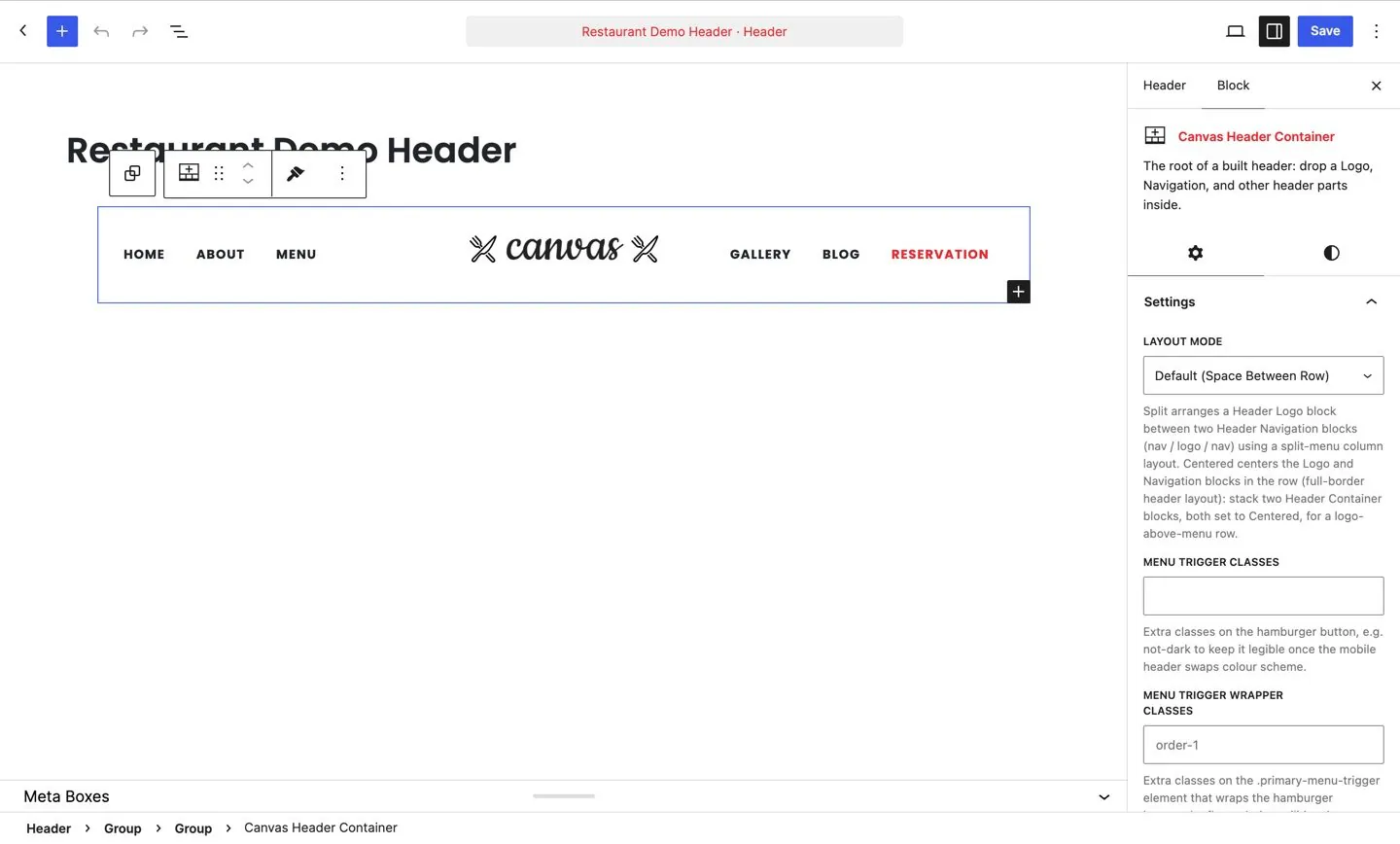
Zones do the layout
A zone decides what sits where. Push one to the right, group a search and a cart into a cluster, or leave a zone plain when you want the markup out of the way.
- Zones reorder per breakpoint, so one record covers desktop, tablet and phone
- Any zone can be limited to a device tier and stay out of the markup on the others
- Extra classes on a zone when you want to reach it from your own CSS
The 14 header blocks
Header Root
The header itself. Everything else nests inside it.
Header Container
A width container, so a header can be boxed, full width or both at different breakpoints.
Header Zone
A cell in the header row. Zones hold the parts and decide where they sit.
Header Logo
Your logo, with separate files for the sticky and dark states.
Header Navigation
The main menu, with dropdowns and mega menu panels.
Header Search
A search icon that opens a field, or a field that is always open.
Header Cart
The WooCommerce cart with its item count and a drop-down summary.
Header Social
A row of social icons from the profiles you set once.
Header Button
A call to action button with the usual size, style and link settings.
Header Icon Link
A single icon that links anywhere, for a phone number or an account page.
Header Info
A small block of contact details, an address or opening hours.
Header Shop Search
A product search for stores, scoped to your catalogue.
Header Topbar
Places a top bar record above the header row.
Mega Menu Column
A column inside a mega menu panel, so a panel can hold real layout.
7 presets to start from
A preset is a bundle of layout settings you apply in one click. Pick the behaviour you want, then change anything you like in the block settings.
Transparent
No background, so whatever sits behind the header shows through.
Semi-transparent
A translucent background, so the image behind stays visible and the text stays readable.
Floating
The header floats inside the page, with space around it at every edge.
Floating semi-transparent
Floating, with the translucent background as well.
Floating small
A floating header at a reduced height.
Full width sticky
Spans the full width of the viewport and stays pinned as the page scrolls.
Sticky on scroll up
Leaves the top as the visitor scrolls down and returns when they scroll back up.
Top bars, mega menus and side panels are records too
Design each one once, set it as the site default, then override it on the pages that want something else.
Top bars
A top bar is its own record with its own blocks: a phone number, opening hours, a language switcher, a promotion. The Header Topbar block places it above the header row. Assign one globally and override it per page.
12 of the 80 demos ship a top bar you can edit.
Side panels
A side panel is a record that slides in from the edge of the screen, for a secondary menu, a cart, a contact form or a set of details that would crowd the header.
6 demos ship a side panel already wired to a trigger.
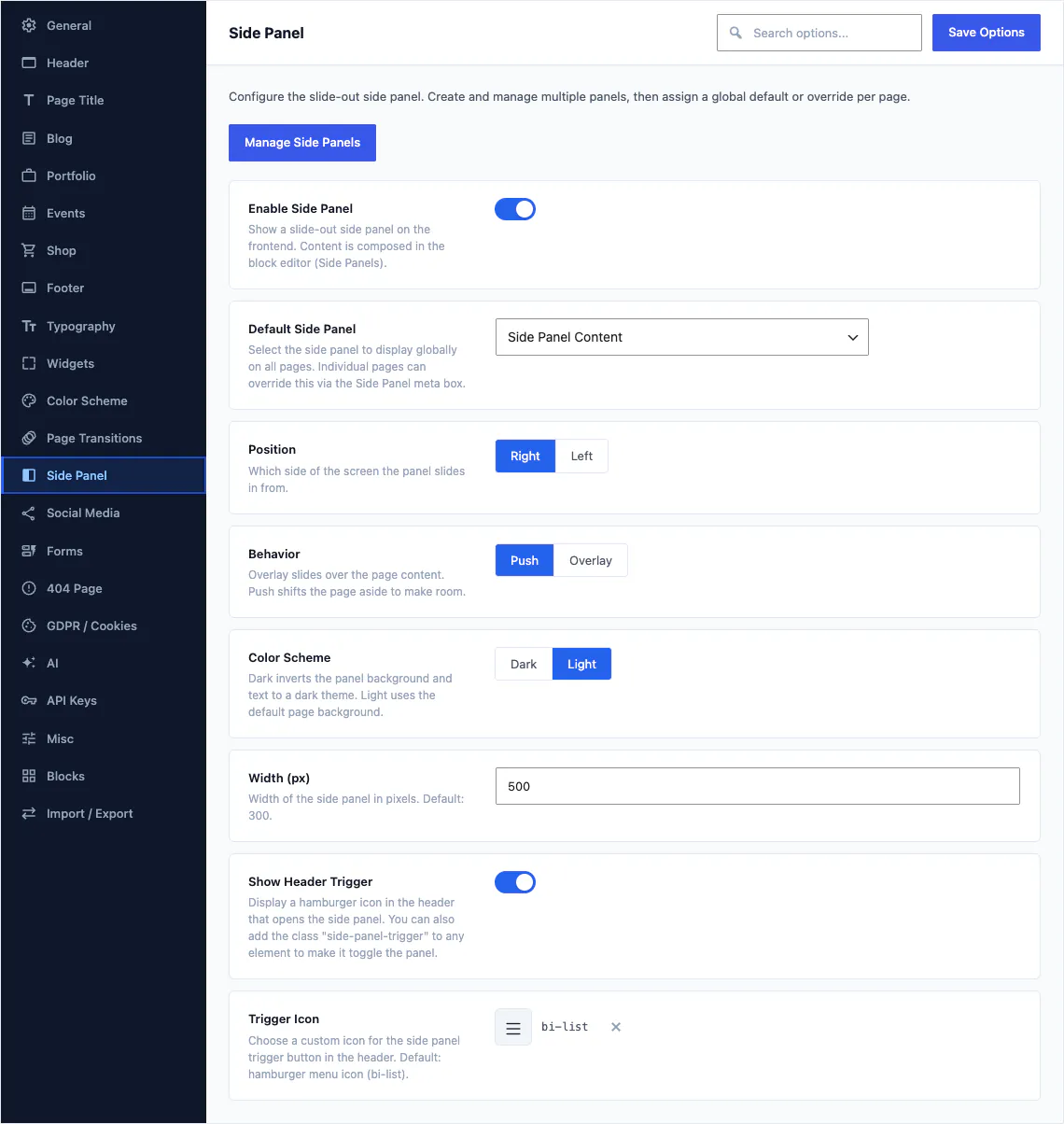
Assigning a record is a field: pick the default side panel, the edge it comes from, whether it pushes the page or floats over it, and what the trigger looks like. Top bars, mega menus and footers are assigned the same way.
92 fields, the largest section in Theme Options
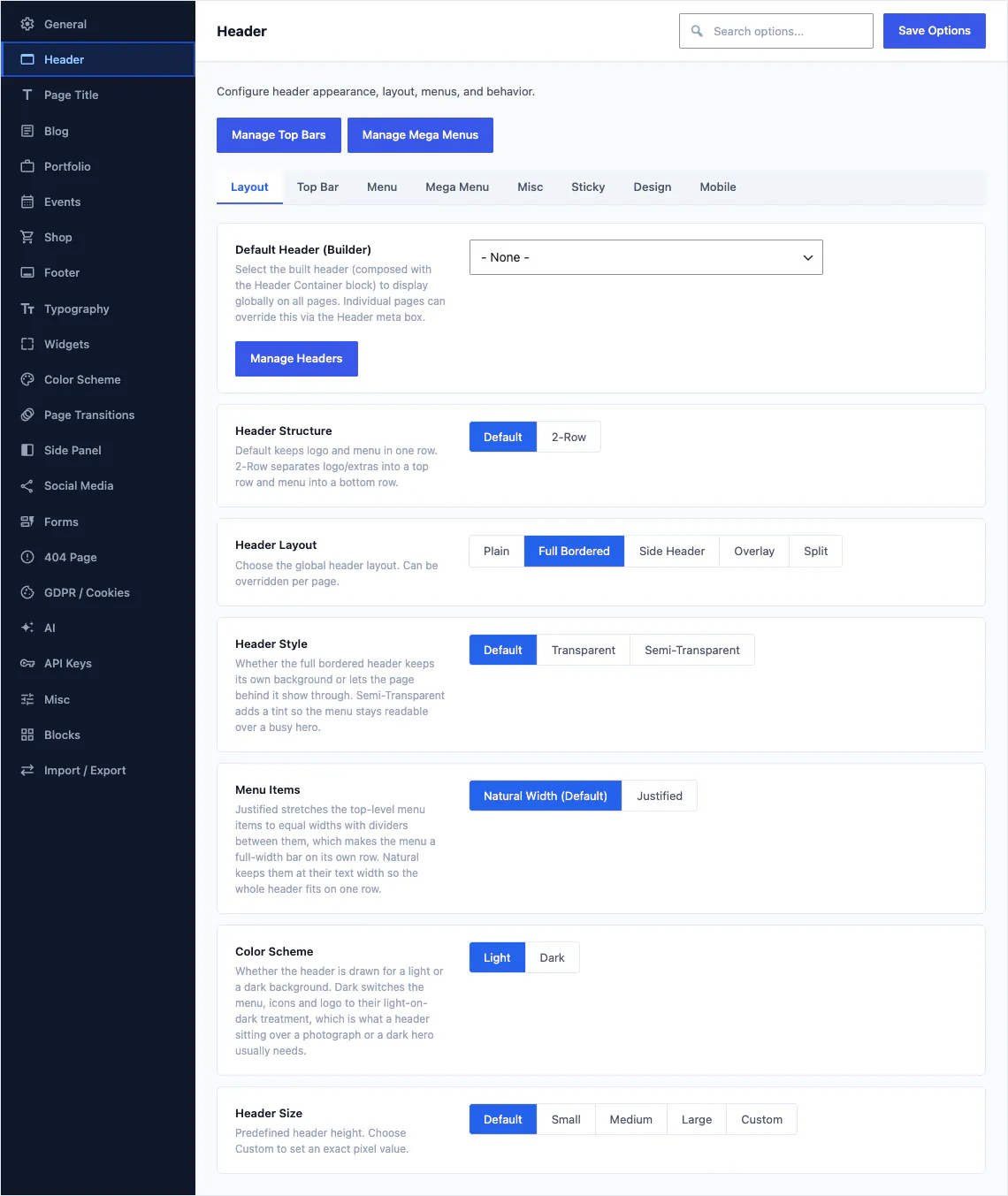
Theme Options carries the site-wide header settings that no single record should own. A demo import sets them all for you, and you change the ones you care about.
- 92 of the 460 Theme Options fields belong to the header
- Set the default header record, then override it on any page
- Sticky behaviour, height, spacing and mobile breakpoints
- Every field is documented in the reference articles
40 header patterns to start from
Insert a pattern and you get ordinary blocks you can rearrange, rename and delete. Nothing is locked, and nothing is a screenshot of a layout you cannot reach.
- 40 header patterns, more than any other category
- 16 footer patterns for the other end of the page
- 183 patterns in all, filed under 17 categories
- Inserted from the pattern tab of the inserter you already use
Footers and copyright bars are separate records
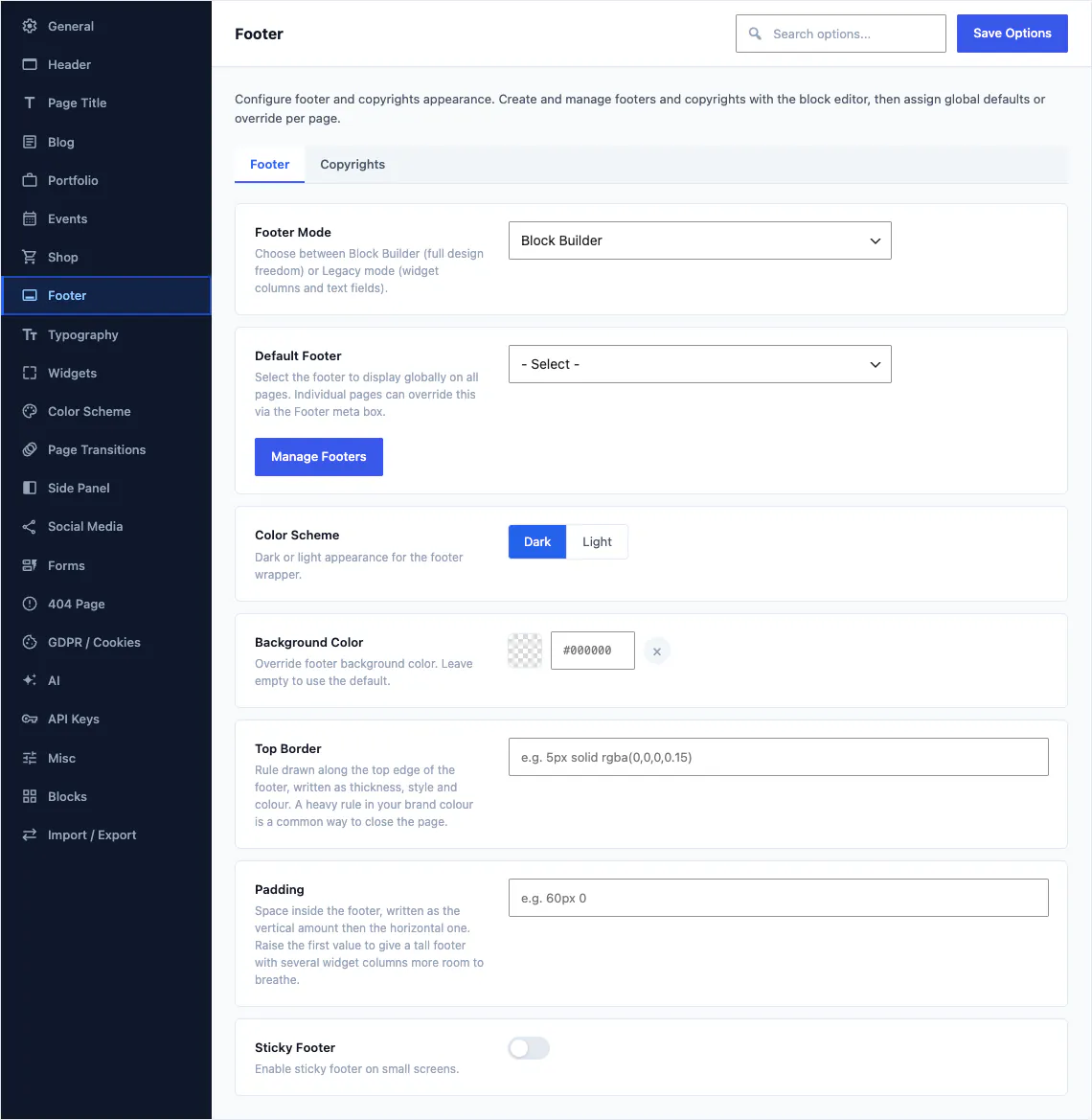
The footer works exactly like the header. A Footer record holds the columns, and a Copyrights record holds the thin bar underneath, so you can change the legal line across a site without touching the design above it.
Six blocks and 17 options
Footer About for the company blurb, Footer Contacts for the address and phone, Footer Instagram for a feed, Footer Widget Area for anything a widget can do, Widget Links for a tidy column of links, and Copyrights for the bottom bar.
- Assign a footer globally or per page, like the header
- A separate copyrights record for the bar underneath
- 16 footer patterns to start from
- Previewed in the editing canvas as you build the page
4 styles, or design your own
The band under the header is a design surface in its own right, with 57 options behind it and a per-page override on every page you publish.
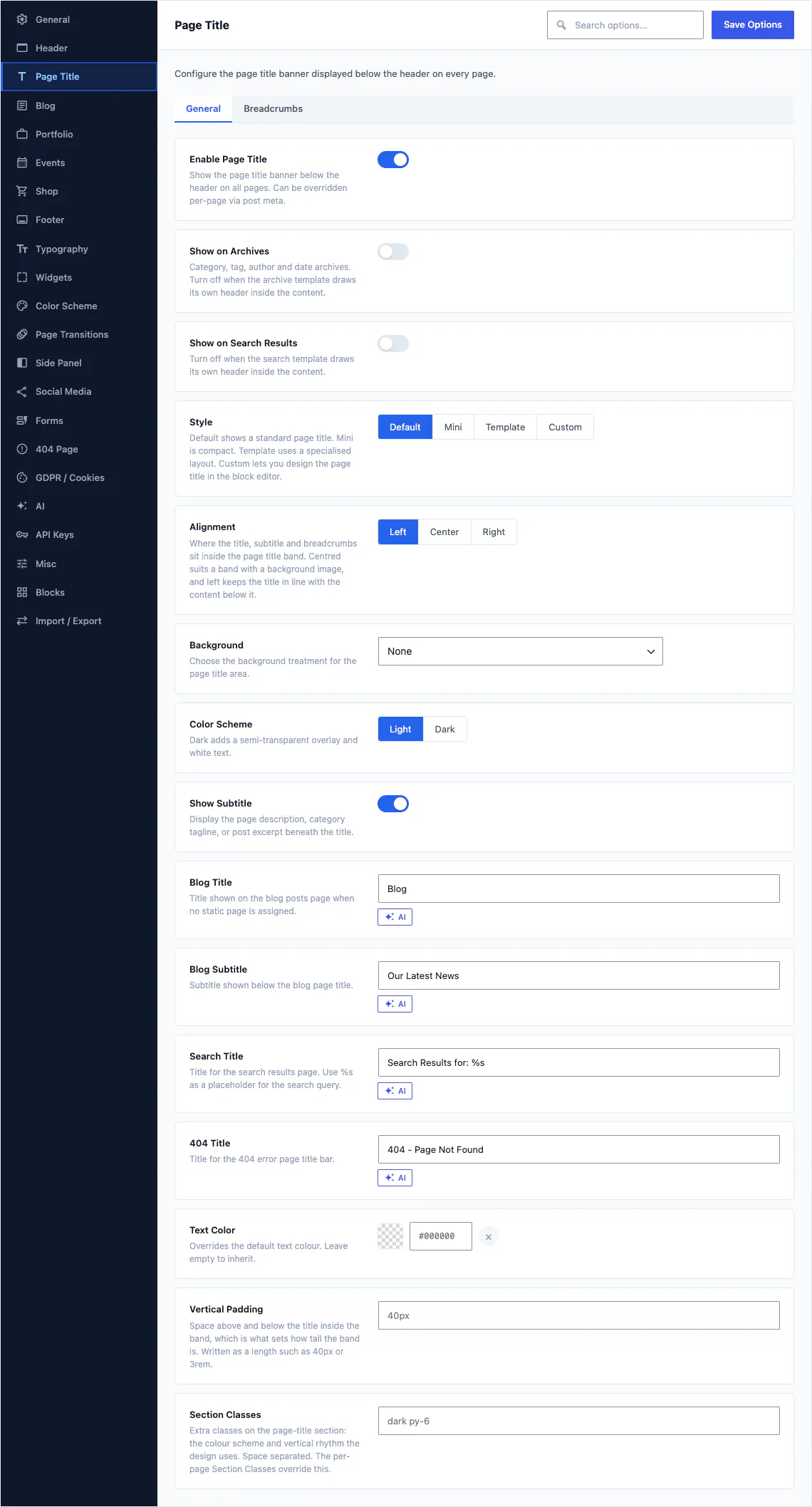
Default, Mini, Template or Custom
Default is the standard band. Mini is a compact version for inner pages. Template picks one of the named specialised layouts. Custom renders a page title record you built from blocks yourself.
- Page Title, Heading, Subtitle, Breadcrumbs and Buttons blocks
- A site-wide default that any single page can override
- Background, height, alignment and breadcrumbs are all settings
Placed in the template by a slot block
Heroes and sliders are records of their own, like headers. A slot block sits in the block template and pulls in the hero or slider assigned to the page being viewed.
- Hero records and Slider records, both built from blocks
- Hero Slot and Slider Slot blocks live in the template, not in your content
- One template serves every page, each with its own opening
- 12 of the 80 demos ship a slider you can edit
You build the header where you will see it
Slot blocks project the header, top bar, page title, hero and footer into the editing canvas, so a page opens looking like the page rather than like a box of paragraphs.
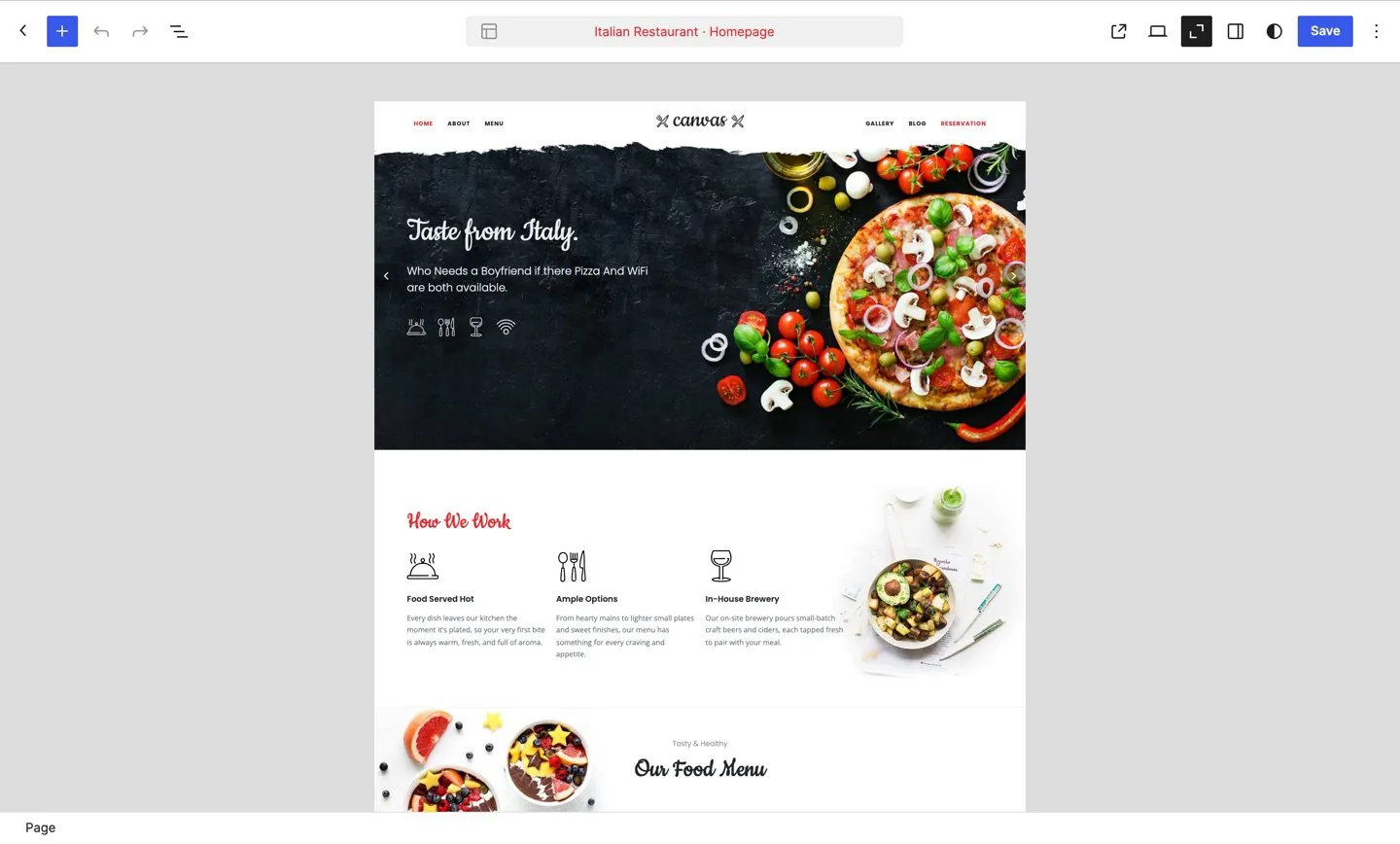
A page in the block editor, with the header and footer drawn around the content by the same code that draws them for a visitor.
One renderer
The header you see in the canvas is drawn by the same code that draws it for a visitor, so there is no separate preview to keep honest.
Global or per page
Set a default header, top bar, page title, hero and footer for the site, then override any of them on a single page from that page's own settings.
Responsive by design
Zones reorder per breakpoint and can be restricted to a device tier, so you check the phone layout in the editor, before anyone else sees it.
Do I need a second header for mobile?
Usually not. Zones reorder per breakpoint and each one can be limited to a device tier, so a single header record can put the logo in the middle on a phone, drop the contact details and move the menu behind a toggle. Build a second record when you genuinely want a different design, not to fix a layout.
Can one page use a different header?
Yes. Headers, top bars, page titles and footers each have a site-wide default and a per-page override, so a landing page can carry a transparent header and a logo-only top bar while the rest of the site keeps its own.
Is a header a widget area or a menu?
Neither. A header is a record you edit in the block editor, exactly like a page. The navigation, logo, search, cart and buttons inside it are blocks with their own settings panels.
What happens to my header when my licence expires?
Your site keeps rendering exactly as it does today. What pauses is the service: updates, demo imports, AI and editing of premium blocks stop until you renew. There is a 14-day grace period if a licence check cannot reach our servers.
Can I still use the Site Editor?
Yes. Canvas is built on real block templates, so templates and template parts stay where WordPress keeps them, and a header record is placed into the template by a block. Read how the editor works.
Build your next website with Canvas
Beginner, freelancer or agency, you get the same blocks, the same demos and the same support. Start with one site and add more when you need them.