

A hotel WordPress theme where the rooms are records
Two Canvas demos are built for hospitality. One is a hostel: rooms with pages of their own, an events calendar and a wall of guest reviews. The other is a travel agency selling tour packages and hotel stays. Both import as whole websites. Neither one is a booking engine, and this page is straight about what their forms do.
A place to stay, and a company that sells trips
Both are working sites, down to the inner pages and the forms that feed them. Preview either one live before you buy.
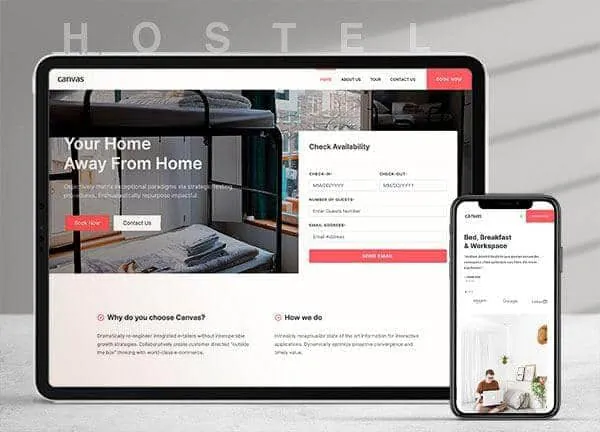
Hostel demo, live preview (opens in a new tab)
Travel & Hospitality · 10 pages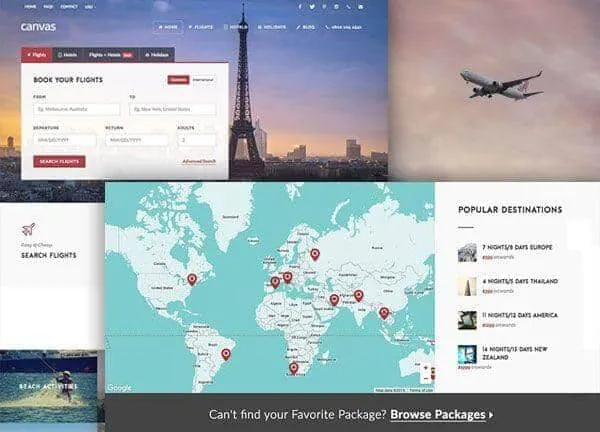
Travel demo, live preview (opens in a new tab)
Travel & Hospitality · 10 pagesA room is a record with its own page
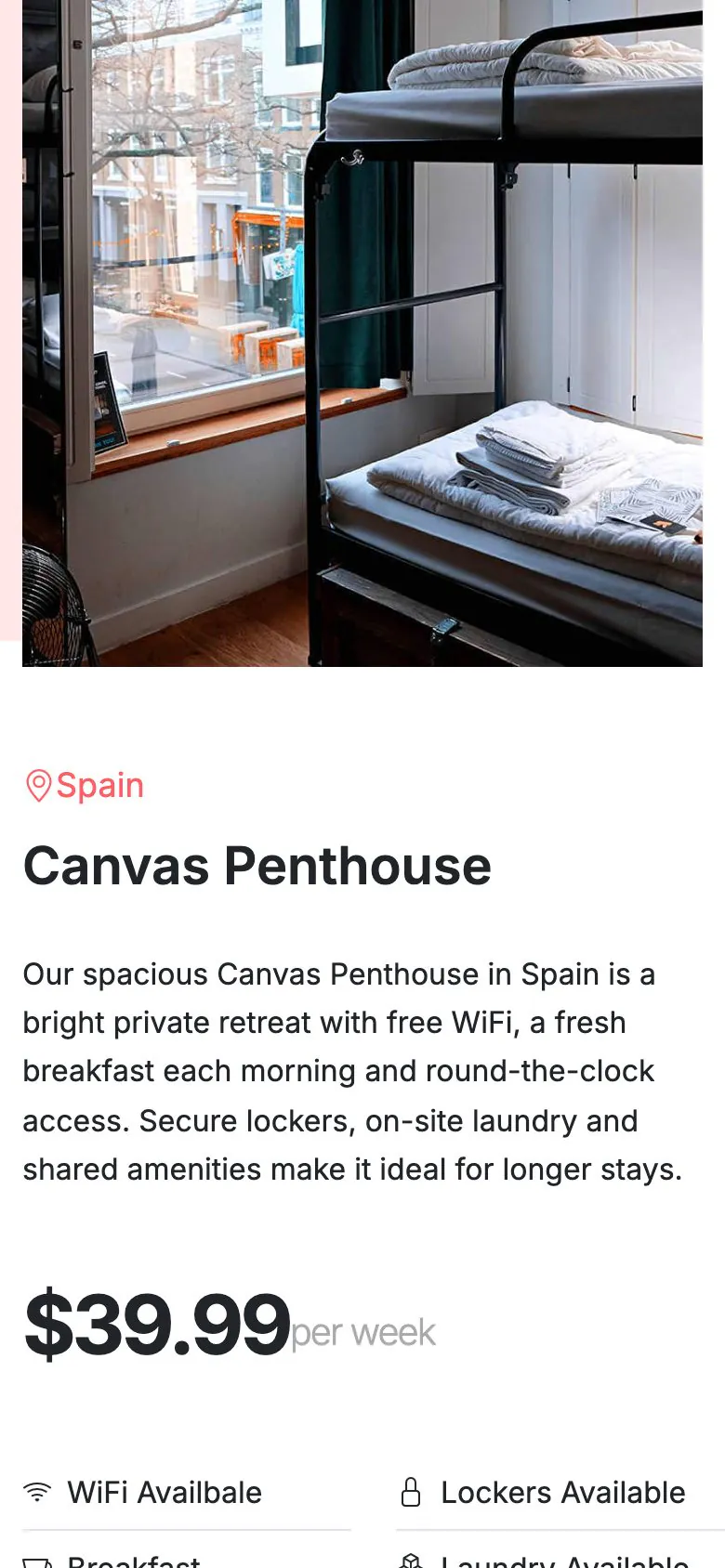
The Hostel demo registers a Rooms content type on import. A room is one record carrying its photograph, its city, the price and the amenities. The demo's own block lists them on the Tour and Our Cities pages, and each one answers at a URL of its own. Travel does the same for tour packages, and again for hotels.
- 3 rooms in the Hostel demo, each with a single page of its own
- 12 tour packages in the Travel demo, plus a second content type for hotels
- Change a rate or an amenity in one place and every listing updates
- Add a room by adding a record: no page layout to copy and edit
There is no booking engine. Here is what there is
Live availability and rates, the deposit, the payment, channel management: that is a booking plugin or an external reservation system. What Canvas ships is 11 working forms across the two demos, each one a Canvas Form that files the enquiry where the front desk will see it.
The Hostel availability form
Dates, guests and a message. On submit it emails the address you set and stores the entry in WordPress, then tells the guest the front desk will confirm availability by email. It does not hold a bed.
The Travel search forms
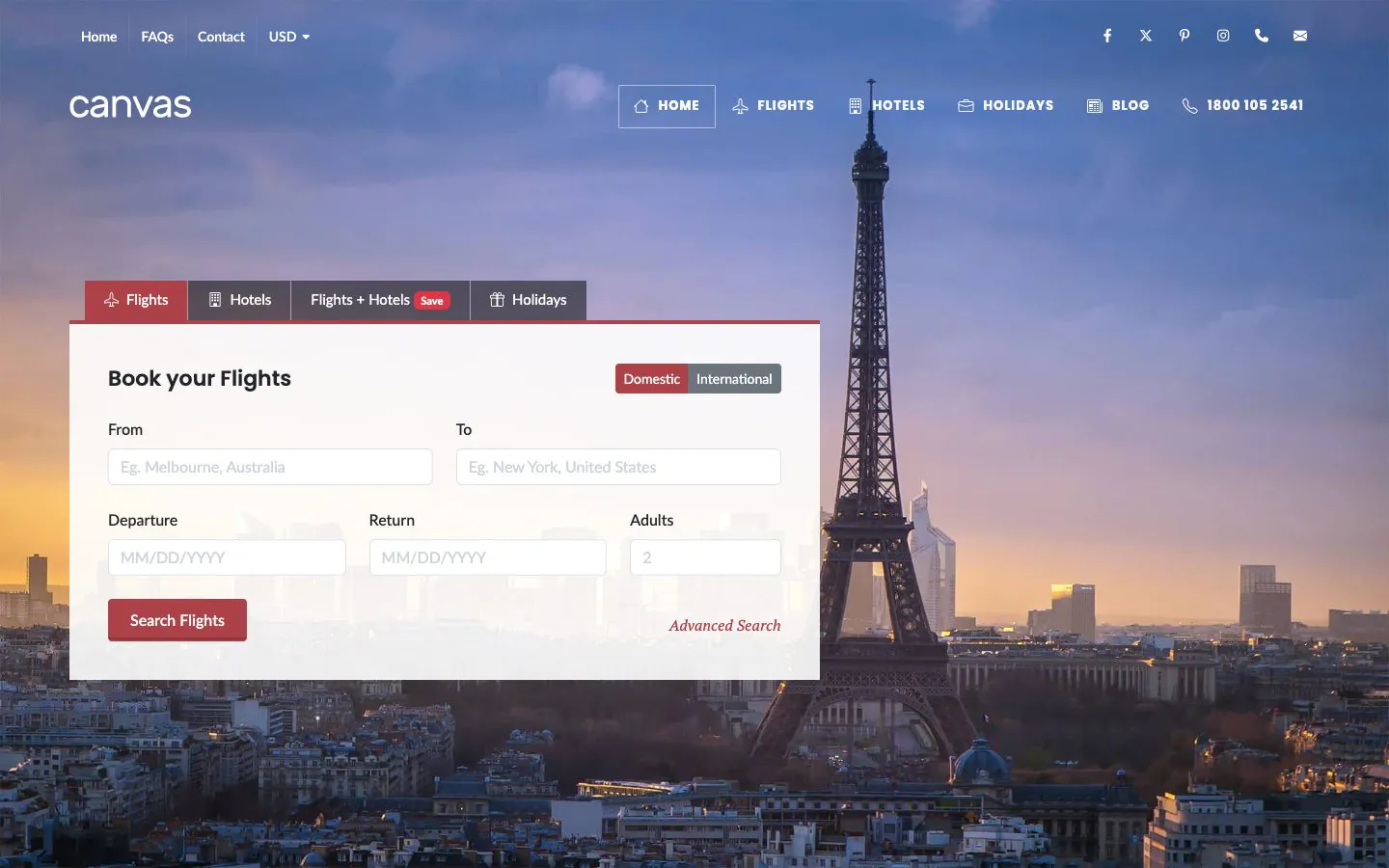
A flight search, a hotel search, a holiday search: each one stores the enquiry as an entry, then confirms that matching options will follow. Nothing queries a live inventory, so no visitor sees a price you cannot honour.
Where enquiries can go
Any Canvas Form can email you, email the guest, keep the entry in WordPress, post to a webhook or add the address to Mailchimp. Send the webhook to your reservation system and the theme stays out of the way.
Spam is stopped by a honeypot, reCAPTCHA v3 or Cloudflare Turnstile. Notification email leaves WordPress through your server by default, so set an SMTP provider in the Forms tab of Theme Options before you rely on it.
The pages guests read before the room list
Nobody books on the strength of a room photograph alone. Both demos ship the supporting pages designed, so the site reads as a working business on the day it goes live, with no placeholder text left to find.
- Hostel: an events calendar with 4 events, a guest reviews page, a cities page, a help centre and FAQs
- Hostel: a journal with 4 posts, plus photo galleries and video heroes
- Travel: a search page each for flights, for hotels, for holidays and for packages
- Travel: a blog with 7 posts, a portfolio of 8 trip themes and 2 top bars
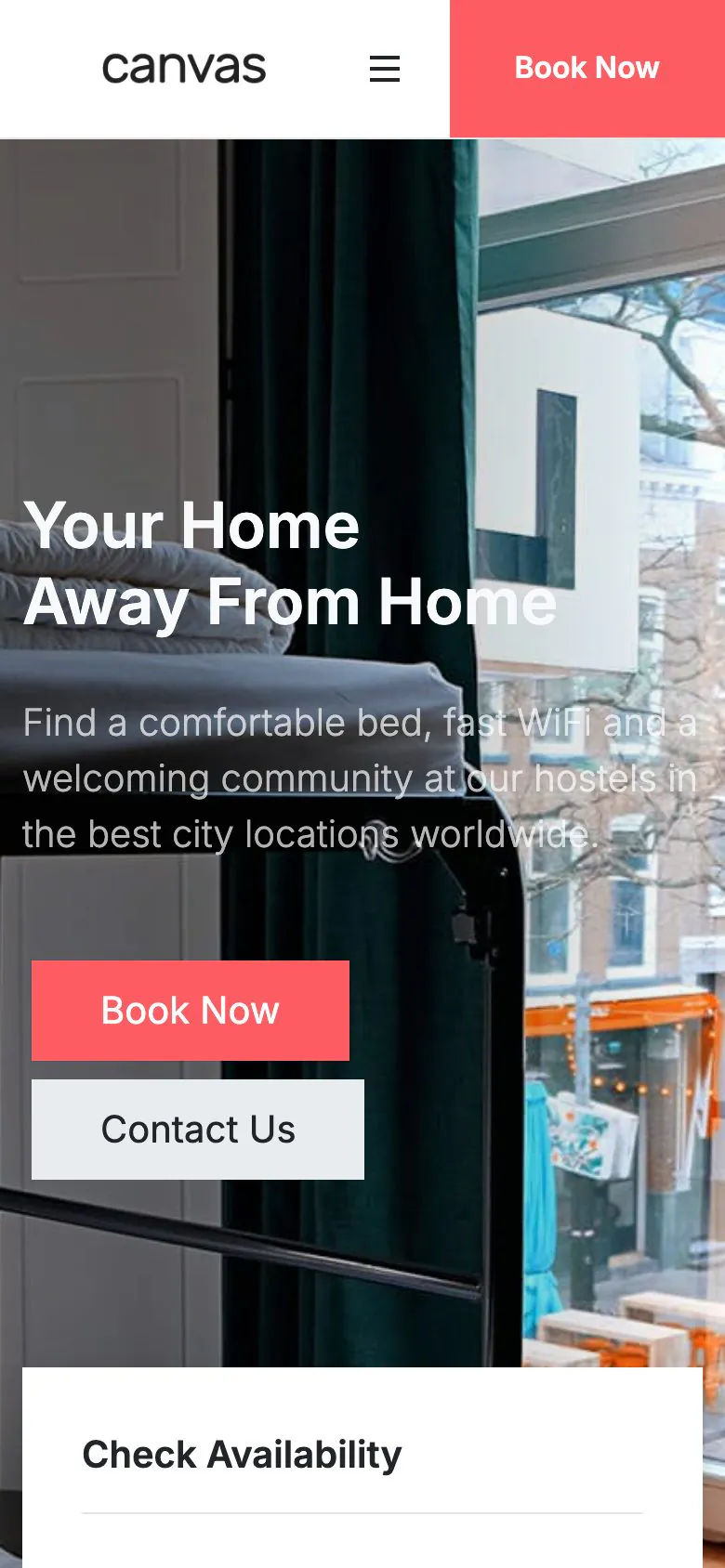
Travel research happens on a phone, in transit
Usually on a train, often on the last leg of somebody else's trip. The room list, the enquiry form and the events calendar come off the same responsive blocks, so there is no second mobile layout to maintain. The screenshot is the Hostel demo as shipped, 390 pixels wide.
- Canvas loads only the CSS and JavaScript a page renders
- Room and destination photos get width, height, lazy loading and responsive sizes from WordPress
- Phone rules for the header, the page title bar and the footer sit in Theme Options
- An adaptive colour scheme option follows the reader's operating system
Four things that matter once guests arrive
The whole property, page by page
Rooms and packages import with the events, the reviews, the journal, the menus and the forms, so the enquiry path works the moment the import finishes.
Edited in WordPress itself
A rate, a photograph, an amenity: each one is a field in the editor WordPress ships. No page builder to learn, and none to renew.
Reversible
Canvas logs everything an import writes. Delete Demo Data takes it back out, so you are free to import Hostel, look at it and switch to Travel.
Copy help included
Room descriptions are the hardest words on a hotel site. Canvas AI drafts and rewrites text in any block field, with monthly credits on every plan.
Hospitality websites, asked plainly
Answers that hold for the two demos as they ship.
Hostel or Travel: which demo should I start from?
Start from the Canvas demo that matches what you sell. Hostel is a place: rooms with pages of their own, an events calendar, a guest reviews page, a cities page and a journal, with an availability enquiry form on the home page. Travel is an agency: tour packages and hotels kept as records, a search page each for flights, for hotels and for holidays, and 8 forms. Both are the same theme, so the choice is a starting design.
Is a booking engine included?
No, Canvas has no booking engine, and neither demo pretends to have one. It ships the pages, the room and package records and the forms. Live availability, the deposit, the payment and channel management belong to a booking plugin or an external system. The demos are straight about it: the Hostel enquiry form emails the front desk and stores the entry, and the reply from the desk is what confirms the bed.
What do the Travel demo's search forms actually do?
They collect an enquiry: every search in the Canvas Travel demo, for flights, for hotels, for holidays or for a destination, is a Canvas Form. The submission is stored as an entry in WordPress and the visitor is told that matching options will follow. Nothing queries a live inventory. Point a webhook at your reservation system and the enquiries land there too.
How are rooms and tour packages managed?
As records, kept in a Rooms content type the Canvas Hostel demo registers on import. It ships 3 rooms, each carrying its location, its price, the description and the amenity fields, a page of its own, and a listing built by the demo's own block. The Travel demo does the same with 12 packages, and again with a second content type for hotels. Change a price once and every listing follows.
Do the demos include an events calendar and a blog?
Yes, and both Canvas demos keep them as normal WordPress content. Hostel ships an events calendar with 4 events, a guest reviews page, a help centre, FAQs and a journal with 4 posts. Travel ships a blog with 7 posts and a portfolio of 8 trip themes. Both have archives and single pages designed to match the demo.
How many websites does one licence cover?
A Canvas licence on Starter costs $39 a year and covers 3 websites; Pro covers 10 and Agency 100. Every plan includes every demo and every block; the plans differ by seats, AI credits and the Agency plan's multisite activation, which is useful if you run one site per property.
Put the rooms online this week
One licence covers every demo and every block. Import Hostel or Travel from the setup wizard, put your own rooms and rates in, and point the enquiry form at the front desk.