

A WordPress theme for client websites on one licence
Every plan ships every block, pattern and demo, so the only thing an agency is choosing is how many websites the licence activates at once. Agency covers 100 of them and a whole WordPress multisite network. This page is the licensing detail: seats, handover, expiry, white label and refunds. Designing your own studio's site instead? That is the agency WordPress theme page.
100 websites, and a network counts as one activation
A site is one WordPress installation on one domain. Activating Canvas there uses one seat and covers both the theme and the plugin, so a website never needs two keys. The Agency plan adds network activation: activate once for a multisite network and the subsites validate against the network licence, with no key of their own.
- Agency at $199 a year: 100 websites, plus activation of a whole multisite network
- Pro at $89 covers 10 websites and Starter at $39 covers 3, both for single installations
- Staging, development and local copies of a licensed website are free
- Deactivate from the licence screen and the seat returns to your pool immediately
- 2,500 AI text generations and 500 AI images a month, in two separate pools
Working solo? The freelancers page covers the same rules at Starter and Pro scale.
Need more seats than 100? Divi licenses unlimited websites on one subscription, and GeneratePress and Astra's top toolkit both cover more sites than Agency does. Each comparison gives the figures and the page they came from.
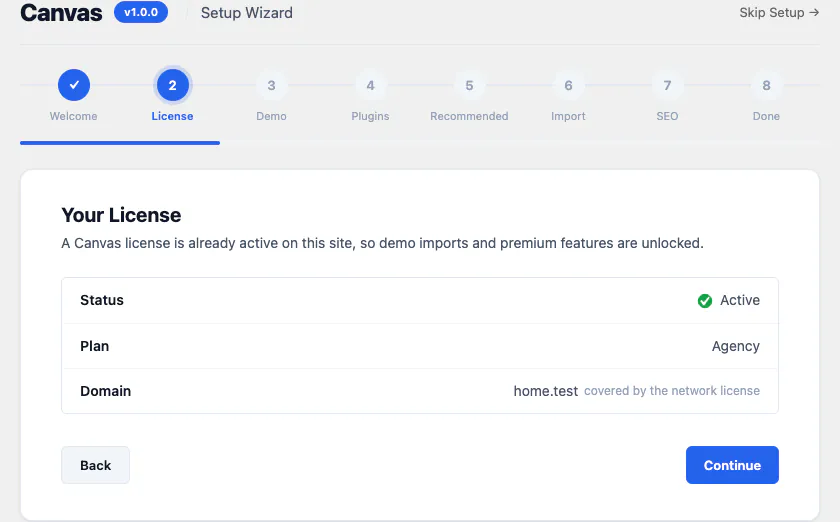
A client site spends a seat like any other site
There is no separate client licence and no per-client surcharge. The rule is the same one that governs your own websites, which is why the plans are sized the way they are.
One install, one domain
A seat is attached to a WordPress installation on a domain and stays there until you release it. Moving a project from a temporary domain to the real one is a deactivate and an activate.
Staging costs nothing
Build and test wherever you like. A staging, development or local copy of a licensed website costs nothing and does not appear against your 100.
Networks activate once
On Agency, one activation licenses a whole multisite network and its subsites validate against it. Starter and Pro license individual installations.
What is not allowed
Sharing or reselling a key, and activating on websites you neither build nor manage to avoid a larger plan. The code stays GPL either way; the restriction is on the service the key unlocks.
When you stop managing a site, the seat comes back
The awkward moment in every client relationship is the one where the project leaves. In Canvas it is three steps and nothing on the website changes while they happen.
The client buys their own licence
A new owner who wants updates, demo imports and Canvas AI needs a licence in their own name. A licence belongs to the account that bought it and keys are not transferable as a product.
You free the seat
Deactivate the website from your dashboard and the seat returns to your pool straight away, ready for the next project. A rebuild or a domain change works the same way.
The website never blinks
Between your deactivation and their activation the front end renders exactly as it did. A handover never breaks the design you delivered, which is the point of the contract below.
What a lapsed licence does, and what it does not do
Canvas renders but freezes. A licence that lapses costs the service, never the website. For an agency that matters twice over: it is your reputation on a client site you no longer bill for.
Active
Premium blocks render and edit, demos import, Canvas AI generates, and theme and plugin updates arrive on the WordPress updates screen.
Grace
If a licence check cannot reach our servers, Canvas carries on as normal for 14 days. An outage at either end is not your client's problem.
Expired
Every page renders as before, premium blocks included. Updates, new demo imports, Canvas AI and premium editing pause. Imported demos stay in place with their content and settings.
Never activated
On an install that has never held a licence, premium blocks render a notice only signed-in administrators can see. Activate a key and they come back in place.
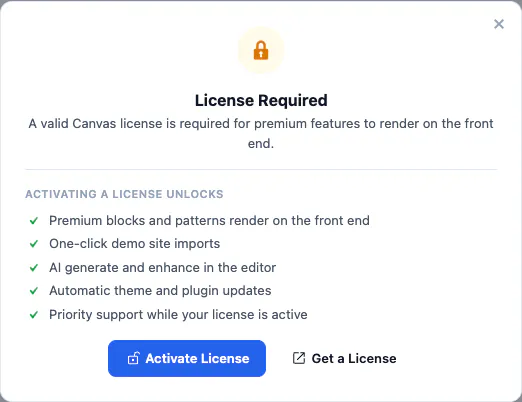
The notice an unlicensed install shows a signed-in administrator. A visitor never sees it, and on an expired licence it never appears at all, because the blocks keep rendering.
White Label, renewals and refunds
The three questions a finance conversation ends on, answered without small print.
- White Label, $99 a year. Your brand name and logo in the WordPress admin, the licence and demo screens hidden from clients, and the support link pointed at your own help desk. Account level, any plan, every website on it.
- Display only. White Label never changes how a block, a demo or an option behaves, and it does not move the licence to your client. On a multisite network it is a network-level setting.
- Renewals hold their price. Canvas renews once a year at the price on your invoice, with no first-year discount that expires into a higher figure. Cancel from the dashboard whenever you like and keep the licence until the term ends.
- Upgrades are pro rata. Move from Pro to Agency mid-term and you pay the difference for the time remaining. The higher site limit and AI allowance apply straight away, and your existing activations are untouched.
- Refunds run for 7 days. Ask within 7 days of your first purchase and you get every cent back, no questions asked. Renewals and upgrades are not refundable.
A demo per client, then the block editor
Each project starts from one of the 80 demo websites, imported with its pages, posts, menus, forms, headers, footers and content types. From there the design is blocks, so the person you hand it to edits it in the editor WordPress ships.
- Import site-wide for a new build, or into an existing site to bring pages without adopting its settings
- Every import is tracked and can be rolled back, so trying a second demo for a client costs nothing
- Export a whole Theme Options configuration from one website and import it into the next
- No page builder to license, learn or renew, and no proprietary markup left in a client's database
- Canvas AI drafts and improves copy in any block field while the pages are still empty
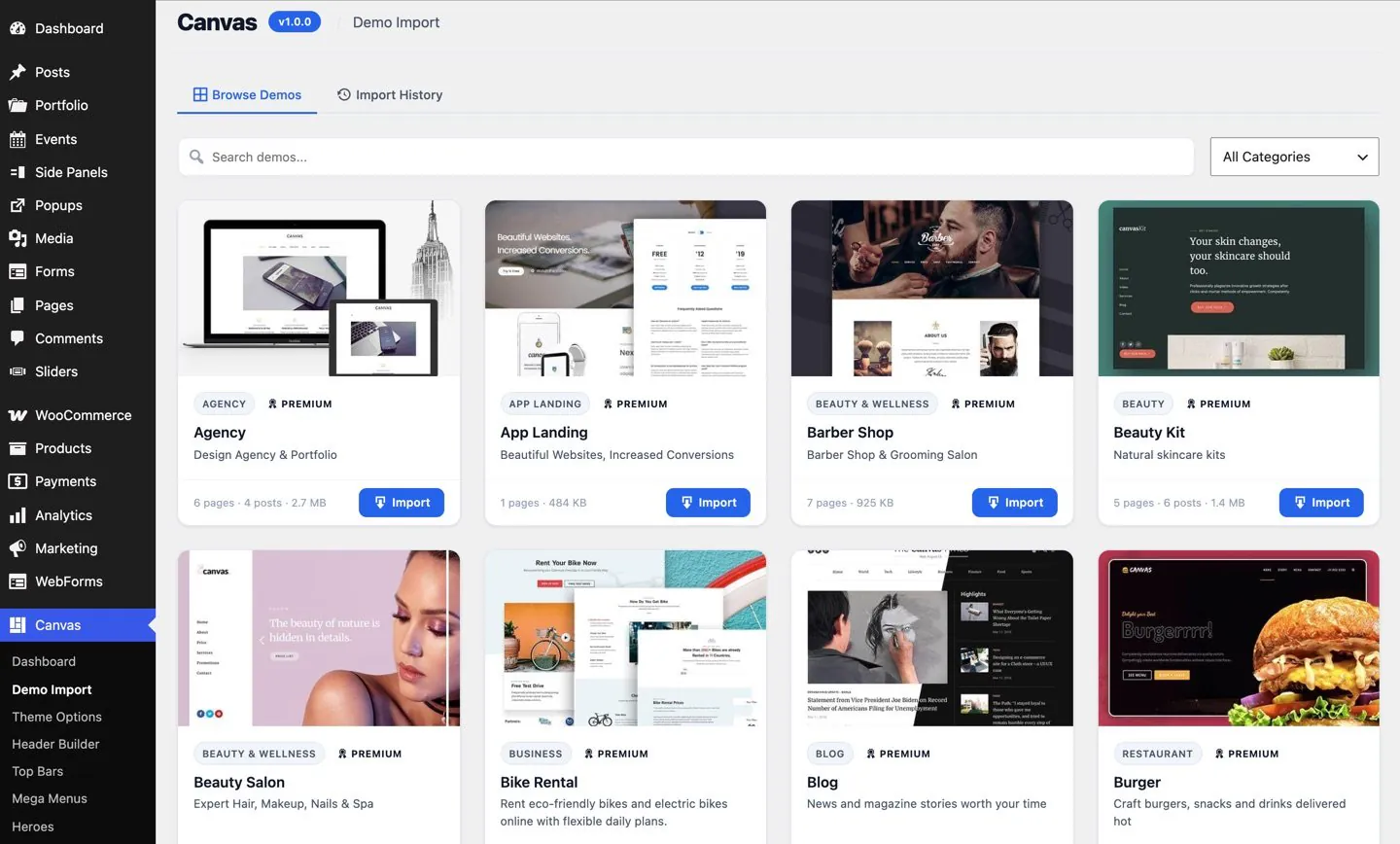
1. Import the demo
Each card carries the demo's category, its page and post count and the package size, and imports the lot in one click.
All 80 demos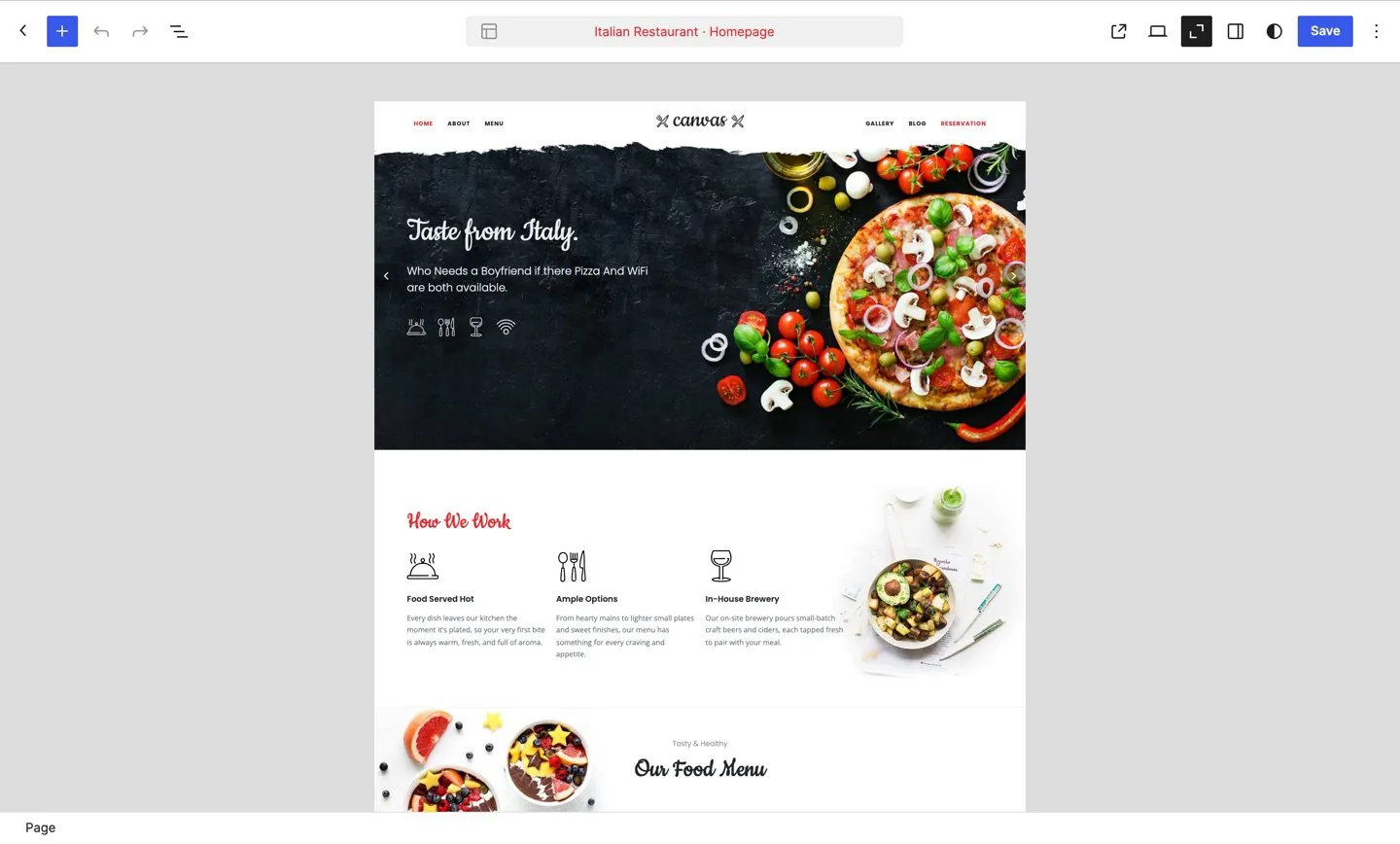
2. Edit in the template
A page opens inside its template, so the client edits what a visitor sees, in place.
Agency demos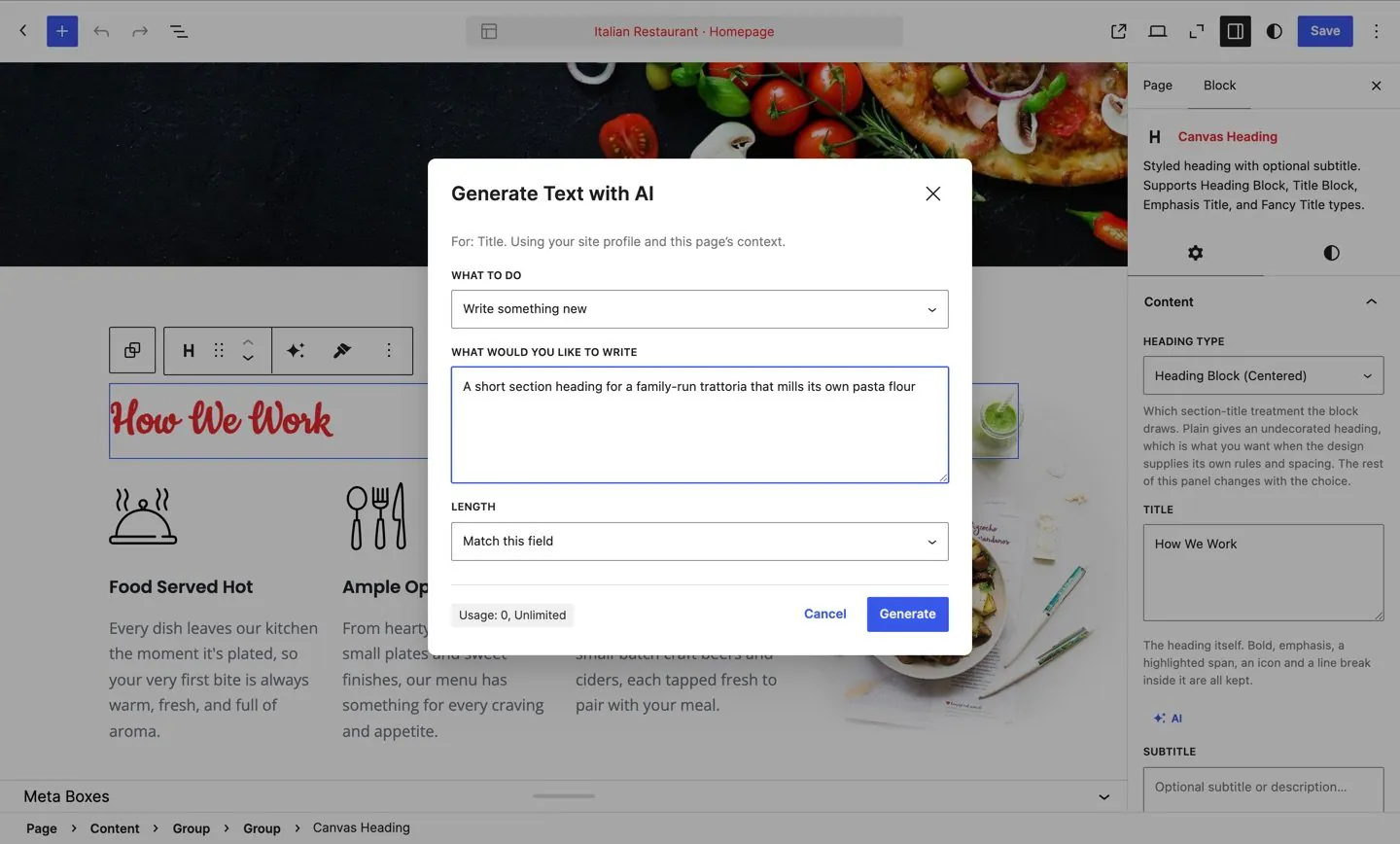
3. Draft the copy
Canvas AI writes into the field you selected while the pages are still placeholders, so a client sees their own words at the first review.
Canvas AIClient work, asked plainly
Five answers agencies ask before the first project, all of them the same rules written on the licence page.
Can one licence cover websites I build for clients?
Yes: websites you build and manage for clients count towards your Canvas limit like any other site, so the plan you need is the one whose seat count matches your book of work. Pro covers 10 websites and Agency covers 100. What the licence does not allow is activating on websites you neither build nor manage in order to avoid buying a larger plan. The step-by-step version, from the plan to handover, is the guide to building client websites.
What happens when a client takes their website over?
They buy their own Canvas licence and you release the seat. Deactivating from the Canvas licence screen returns the seat to your pool immediately, so the next project can use it the same day. The website itself keeps rendering throughout, because an unlicensed install only stops the service around the site, never the pages you delivered.
Does a staging copy use one of the 100 seats?
No: staging, development and local copies of a licensed Canvas website do not use another seat. You are meant to test an update before it reaches a client's visitors, and you should not pay twice to do it. If a copy is counted by mistake, deactivate it on that copy's licence screen and the seat comes back.
What does a client see if the licence lapses?
The same website, because a lapsed Canvas licence stops the service and never the pages. Every premium block keeps rendering, headers, footers, sliders and popups keep rendering, and nothing is hidden from visitors or watermarked. What pauses is the service: theme and plugin updates, new demo imports, Canvas AI, and inserting or editing premium blocks in the editor. Renew and all of it returns.
Can clients see my brand in the WordPress admin instead of yours?
With the Canvas White Label add-on, yes. It is $99 a year at account level, works with any plan and covers every website on it: your name and logo in the admin in place of the Canvas ones, the licence and demo screens hidden from the people you hand a site to, and the support link pointed at your own help desk. It changes appearance only, never what Canvas does.
Put 100 client websites on one licence
Every plan ships every block, pattern and demo. Agency adds the seats and the multisite activation an agency actually runs out of.