

An interior design WordPress theme led by the work
Two complete websites ship with Canvas: an interior design studio with 16 projects filed by room, and a furniture shop built on WooCommerce. Import one, put your own photographs in it, and open.
Two interior websites, ready to import
One sells design work. The other sells furniture. Both import as working sites, down to the inner pages and the records behind them. Preview either one live before you buy.
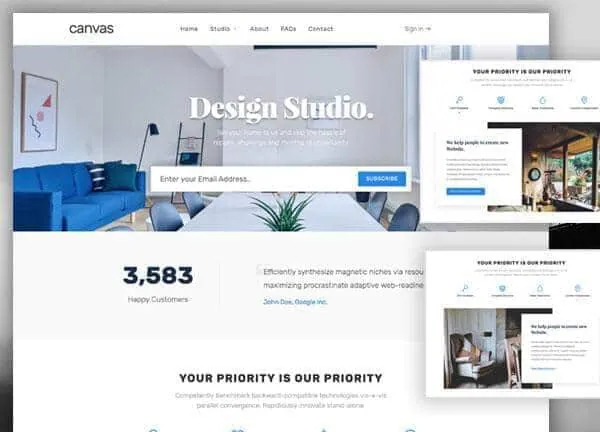
Interior Design demo, live preview (opens in a new tab)
Construction & Interiors · 5 pages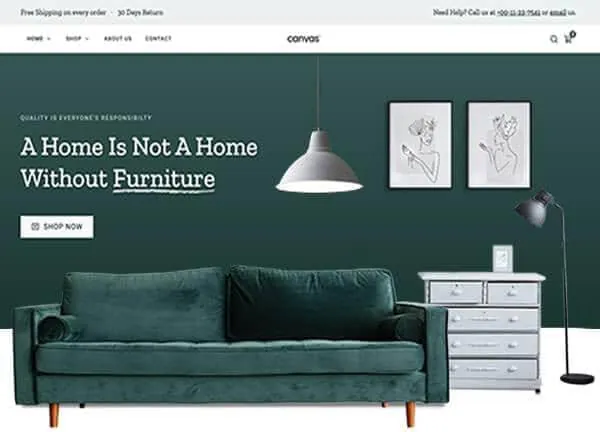
Furniture demo, live preview (opens in a new tab)
Shop & eCommerce · 12 pagesProjects are records, and the filter bar is built from them
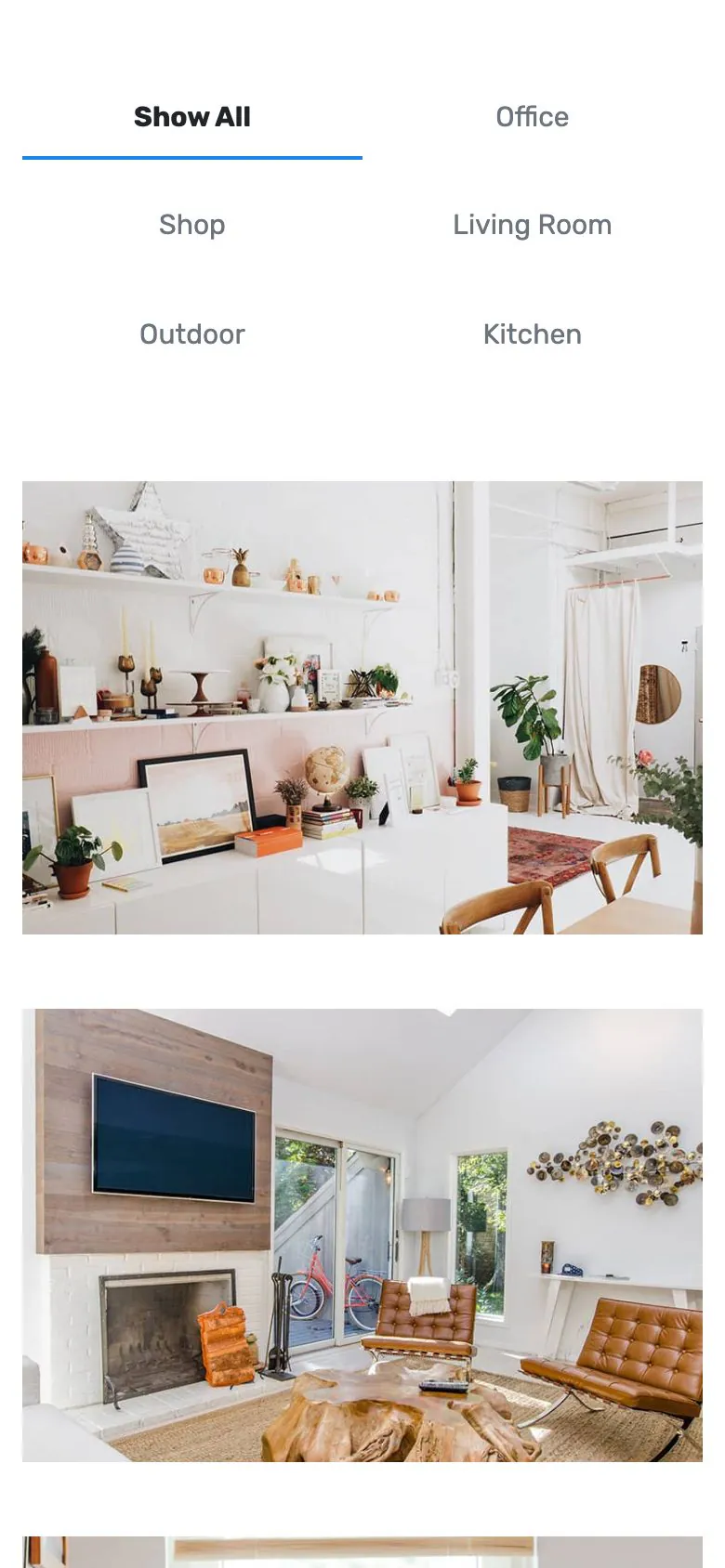
The Interior Design demo files its work in the portfolio content type. One project is one record: the photograph, the city, the scope, the completion date, the floor size and the tools it was drawn in, filed under a room category. The Studios page lists them with the demo's own block.
- 16 projects across six room categories: Living Room, Kitchen, Outdoor, Office, Shop and Dining
- The filter bar on the Studios page is generated from those categories, so a new one appears in it
- Every project opens its own page with the details card, the description and a related row
- The portfolio content type carries 11 blocks and 57 single templates, so the grid and the project page are settings you choose
The Furniture demo is a working WooCommerce shop
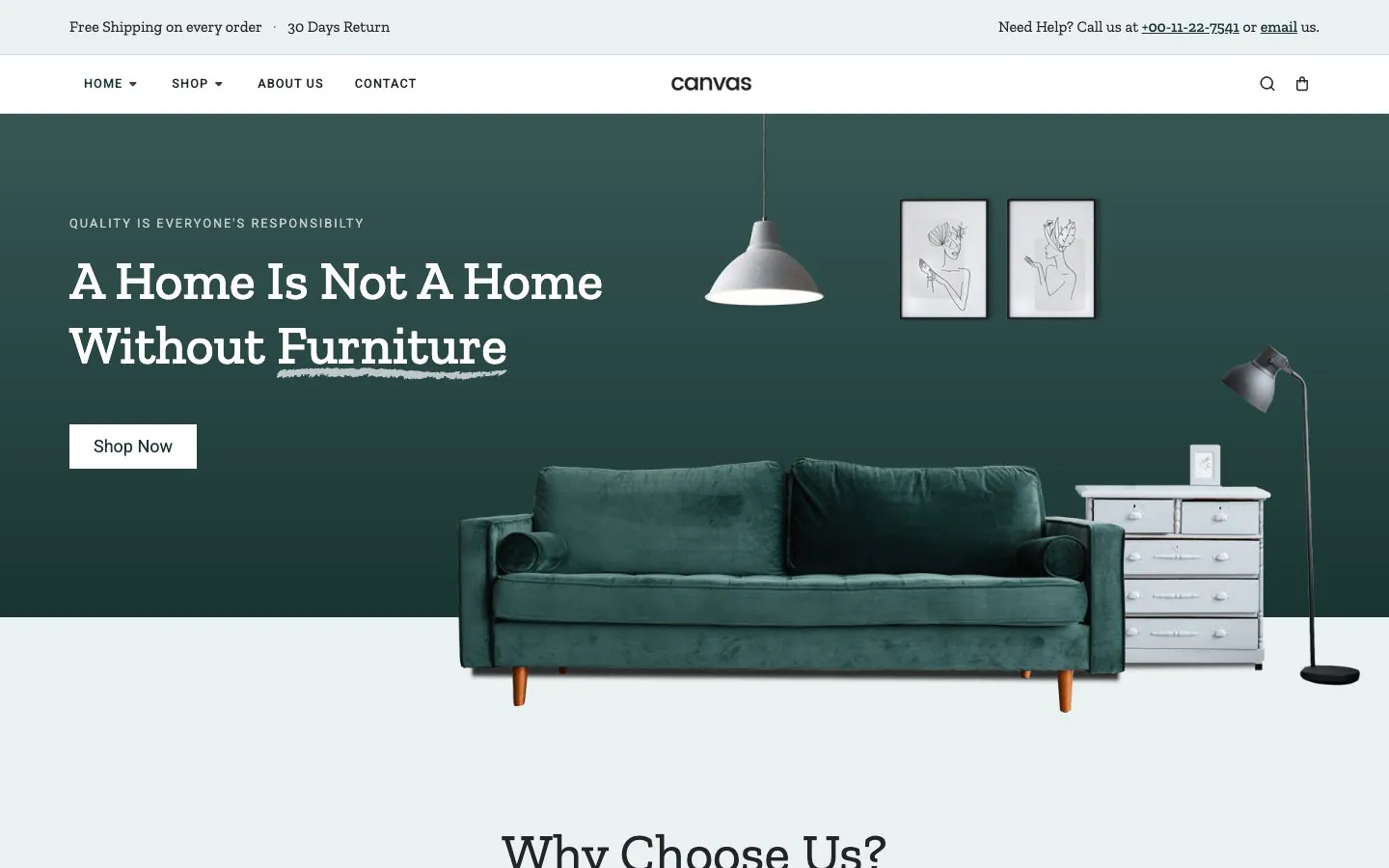
It ships 16 products in categories such as Sofas, Chairs, Lights, Tables, Beds and Wardrobes, a Shop page, a cart side panel, and Cart and Checkout pages built from WooCommerce blocks in the demo's design. A Journal with 4 posts, an About Us page and a Contact page come with it.
Every Canvas plan includes the 22 WooCommerce blocks, so the studio site can grow a shop later without changing theme.
What a visitor does besides look
The pages a studio gets asked for are written and laid out. The parts that repeat across the site are records you edit once.
Enquiry and subscribe forms
The Interior Design demo ships 2 Canvas Forms: an enquiry form on the Contact page and a subscribe field in the home hero. Both keep their entries in WordPress as shipped; email, a webhook and Mailchimp are actions you switch on in the same panel.
An FAQs page that opens
The FAQs page is built from toggle blocks, so the questions about fees and timelines are text fields you rewrite. No markup to fight.
Header, footer and side panel
The demo's header, footer, side panel and page heroes are records of their own. Change the phone number or the menu in one place and every page follows.
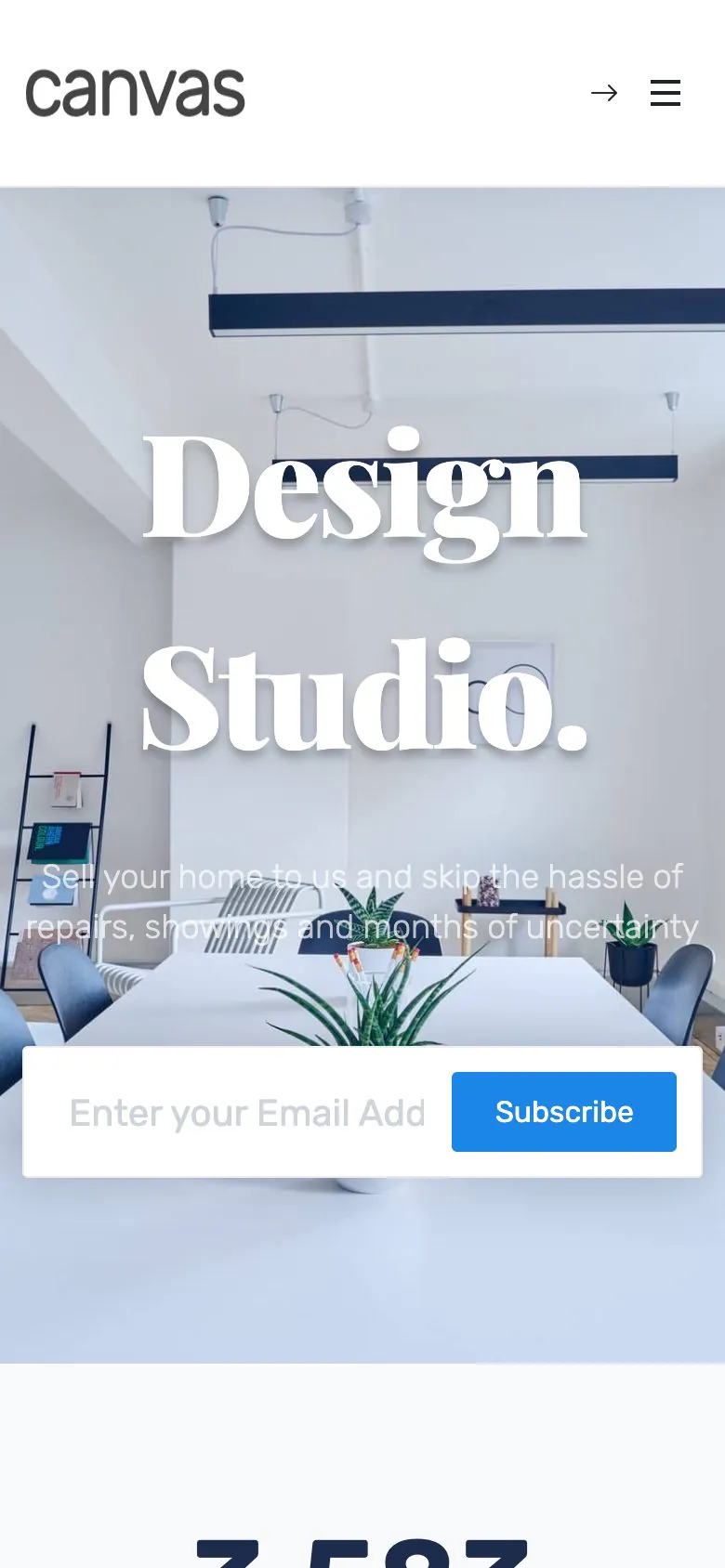
Interiors are judged on a phone screen first
Usually in a screenshot somebody sends a friend. The project grid, the filter bar and the enquiry form come off the same responsive blocks, so there is no second layout to maintain. The screenshot is the demo as shipped, 390 pixels wide.
- Phone rules for the header, the footer and the page title bar sit in Theme Options
- Project photographs get width, height, lazy loading and responsive sizes from WordPress
- Canvas loads only the CSS and JavaScript a page renders
What a studio site owes a first-time visitor
The Studios page has work in it
An import brings the inner pages, the menus, the forms and the project records together, so nobody lands on an empty grid while you catch up.
Edited in WordPress itself
A project field, a price, a headline: each one is a block field in the editor WordPress ships. No page builder to learn, and none to renew.
Reversible
Canvas logs everything an import writes. Delete Demo Data clears it again, so trying the studio and then the shop costs you nothing.
Copy help included
Every project needs a paragraph nobody wants to write. Canvas AI drafts and rewrites text in any block field, with monthly credits on every plan.
Interior websites, asked plainly
Answers that hold for the two interior demos as shipped.
Which of the two demos should a design studio start from?
Of the two Canvas demos, Interior Design is the studio site: a home page, a Studios page that lists the work, an About page, an FAQs page and a Contact page, with 16 projects behind it. Furniture is a shop: it sells 16 products through WooCommerce and has its own Shop, Cart and Checkout pages. Start from the studio if you sell services and from Furniture if you sell things.
How are projects managed?
Each project is a record in the Canvas Portfolio content type. It carries its photograph, the city, the scope, the completion date, the floor size and the tools it was drawn in, and it sits in a room category. The Studios page lists them with the demo's own block and builds its filter bar from those categories, so one new record turns up in the grid and in the filter at once.
Can I sell furniture or accessories from the same site?
Yes, with WooCommerce: the Canvas Furniture demo is a working store, with 16 products in categories such as Sofas, Chairs, Lights and Tables, a Shop page, a cart side panel, and Cart and Checkout pages built from WooCommerce blocks in the demo's design. Every plan includes the 22 WooCommerce blocks, so a studio site that starts without a shop can add one later without changing theme.
Where do the enquiry forms go?
The Interior Design demo ships 2 Canvas Forms: the enquiry form on the Contact page and the subscribe field in the home page hero. As shipped they store every submission in WordPress, where you read and export it. Email notification, a webhook and Mailchimp are actions on the same form: switch one on and enter the address. Spam is stopped by a honeypot, reCAPTCHA v3 or Cloudflare Turnstile.
Can I change the colours, fonts and photographs?
All of it, in the WordPress editor that Canvas builds on. Photographs are ordinary media library images. Colour and type live in Theme Options, and the layouts are blocks you edit where they sit. The header, the footer, the side panel and the page heroes are records of their own, so the header is one edit for the whole site.
Is consultation booking or a room planner included?
No: Canvas ships the pages, the projects, the store and the forms. An appointment scheduler, a booking engine and a CRM are plugin territory, and a 3D room planner is not part of the theme. The Contact page ships an enquiry form, which is where most studio enquiries start.
Put your studio online with Canvas
One licence covers every demo and every block. Import the interior design demo from the setup wizard, then put your own projects and photographs in its place.