

Edit the whole site in the WordPress block editor
No proprietary builder and no shortcodes. Canvas puts the header, hero, page title, content and footer in the editing canvas, and adds the settings a real design needs to every block, core blocks included.
A page opens looking like the page
Canvas sets the block editor to render the whole template. The header and the hero, the page title band, your content, the footer: all of it appears in the canvas, drawn by the code that draws the front end.
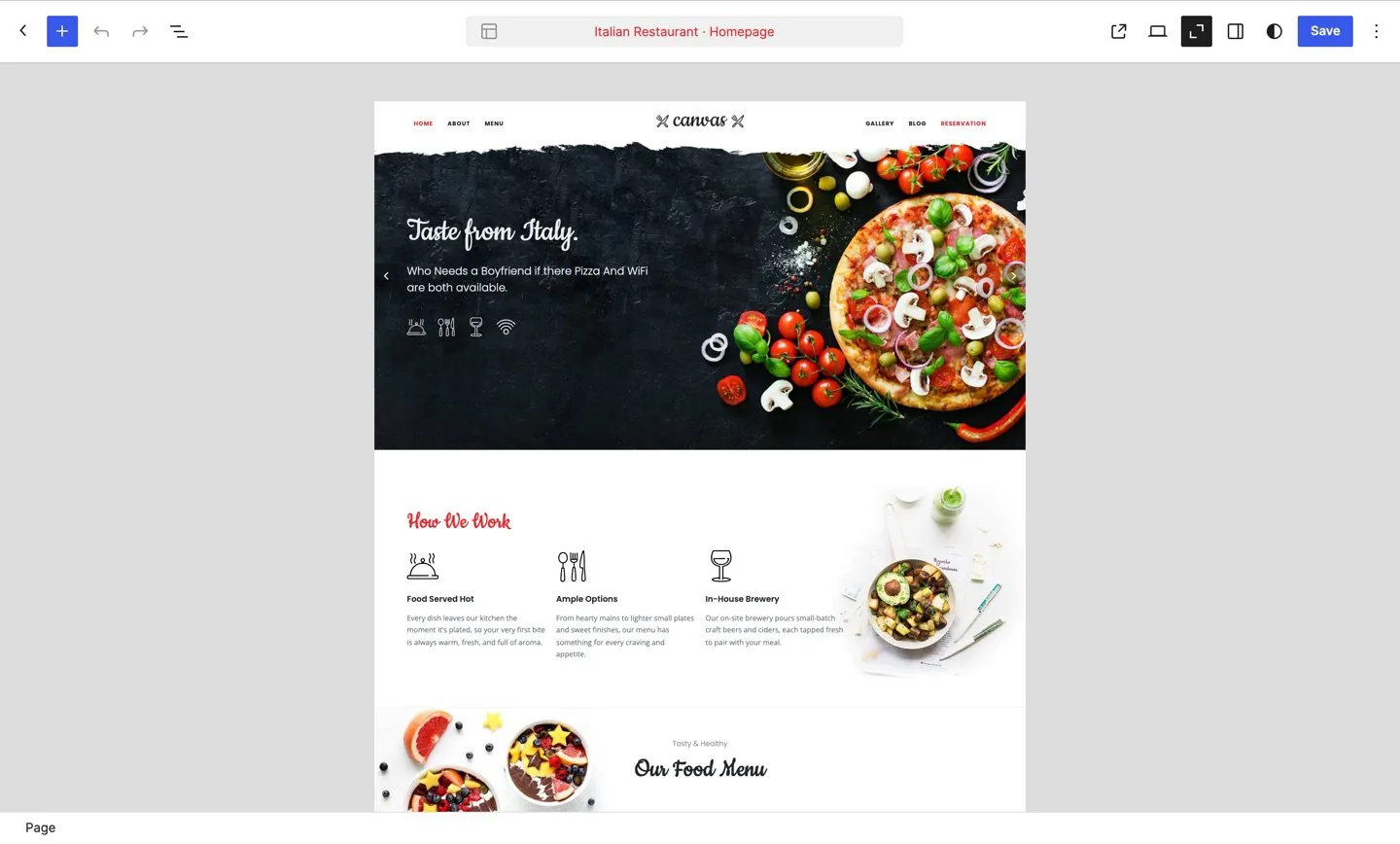
What you edit is what visitors get
Most themes hand the editor a white box and keep the design for the front end. Canvas renders the template around your content, so you are writing inside the page rather than beside it.
- One renderer for the editor and the front end
- The template is visible but not editable from the page, so you cannot break the chrome by accident
- The hero, slider and page title assigned to this page are there before you publish
- Widths and spacing come from the real template, so a full-width section looks full width
Templates and styles where WordPress keeps them
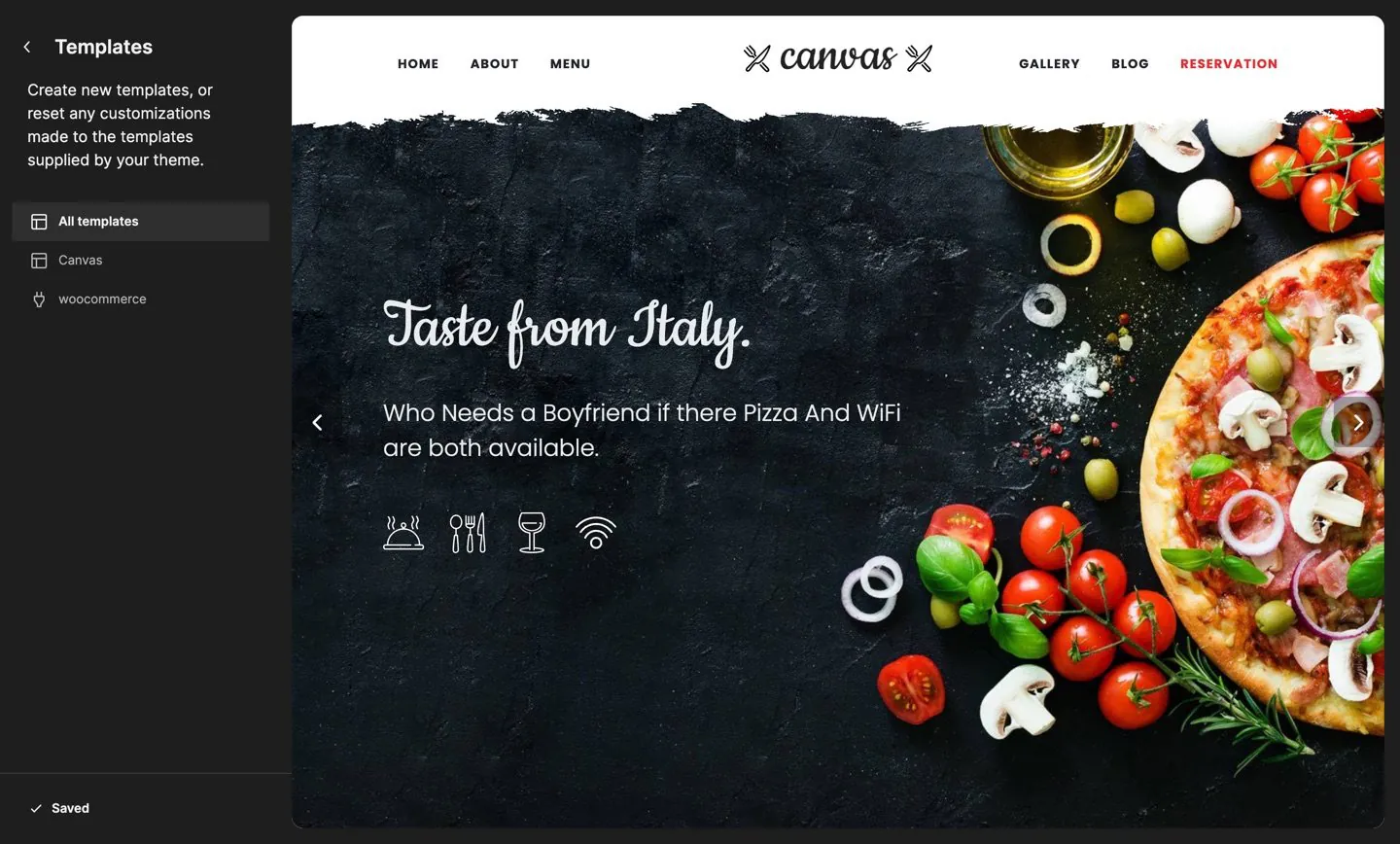
Canvas is built on WordPress block templates. Templates are block templates, parts are template parts, and colours and typography come from theme.json, so nothing about the site is hidden in a settings panel of ours.
173 templates and 4 style variations
Single layouts for posts, portfolio work, events, products and every content type a demo brings, plus page layouts for landing, splash, flush and full-bleed pages.
- 173 block templates, editable in the Site Editor
- 5 template parts for the header, footer, page title and sidebars
- 4 style variations, including dark and midnight
- theme.json colours and typography feed the editor and the front end from one place
Everything a visitor sees is a setting you can reach
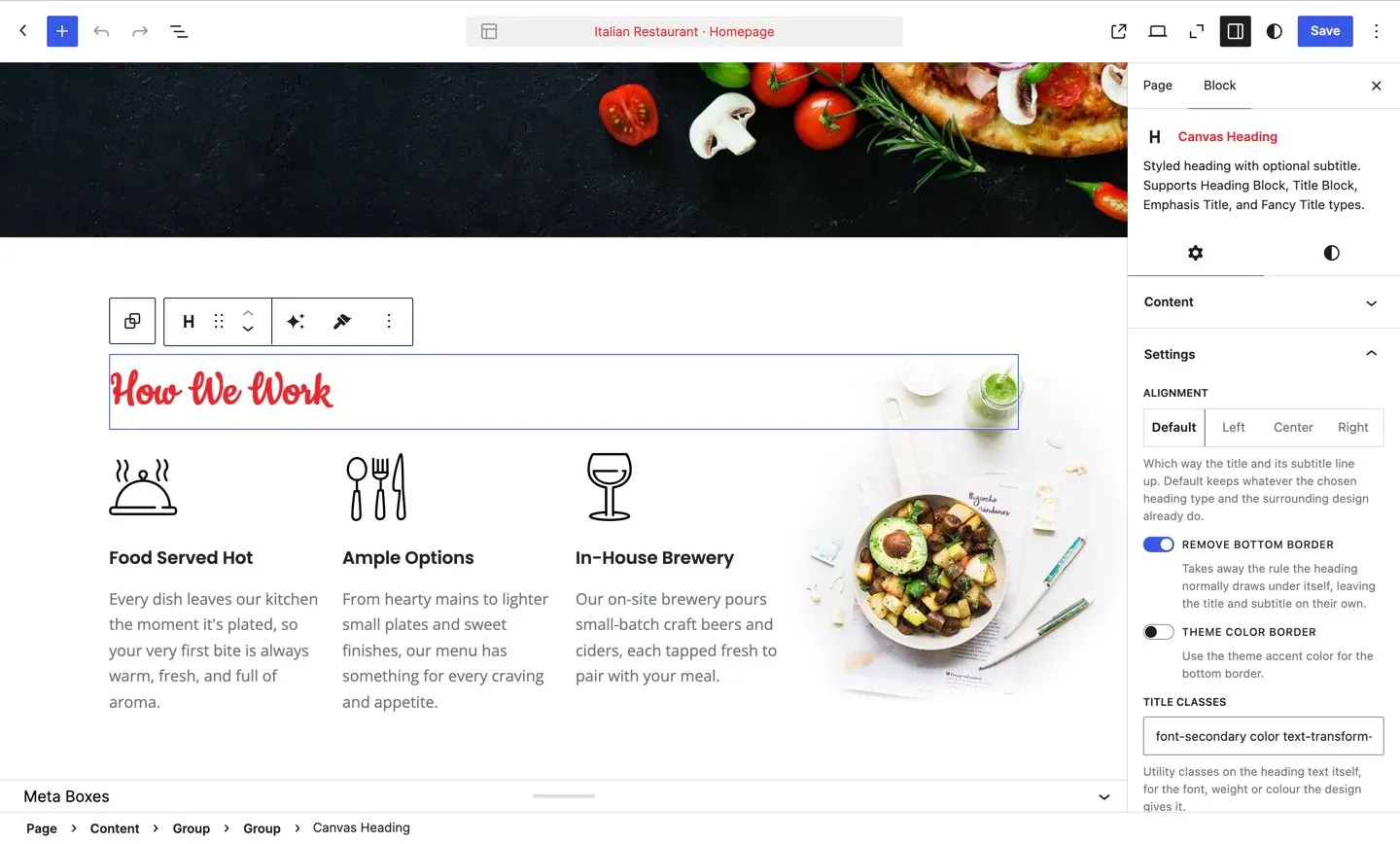
Text and links, images and icons, colour, size, behaviour: if a block renders it, a control in the sidebar changes it. None of it needs the code editor.
Set it up once, reuse it everywhere
Two systems save you repeating yourself, and they solve different problems.
- Save as defaults. Set a block up the way you like it and store that as the default for its type. The next one you insert starts there. Identity settings such as the anchor and extra classes are never copied.
- Global block styles. Name a set of settings as a preset, apply it to blocks across the site, then change the preset once and every block using it follows.
The same 4 controls on every block, core blocks included
Canvas adds one advanced panel to every block type registered on the site, not only to its own. A core paragraph gets the same animation, CSS, attribute and visibility controls a Canvas block gets.
Animation
Choose an entrance animation with its own speed and delay, and an exit animation with a delay of its own. Nothing sits invisible waiting for JavaScript that never arrives.
Custom CSS
Write CSS for this one block. Canvas scopes it to the block and runs it through the same filter WordPress uses for inline styles.
Custom attributes
Add your own attributes to the block's root element, for analytics hooks, test identifiers or a third-party script that expects them.
Display conditions
Show or hide a block by user role or by device, so a members-only panel or a phone-only call button needs no plugin.
Custom classes and the HTML anchor stay on the WordPress fields you already know, so nothing you learn here is specific to Canvas. Because these are ordinary block attributes, a pattern or a script can set them as well as you can.
183 patterns, filed by category
A pattern inserts as ordinary blocks you can rearrange, rewrite and delete. It is a starting point for a section, never a locked layout you have to work around.
- 40Header
- 24Content
- 22Forms
- 16Footer
- 14Blog
- 13Hero
- 12Gallery
- 12Call to action
- 9Pricing
- 9Pages
- 8Features
- 5Events
- 4Popup
- 3Social
- 2Testimonials
- 2Portfolio
- 1FAQ
A pattern can be filed under more than one category. Header and footer patterns are covered on the Header Builder page, and every pattern is built from the blocks in the block library.
Your content stays block markup
The strongest thing Canvas can offer is that nothing about your content is proprietary. Canvas blocks save the way WordPress blocks save.
- Every Canvas block is a registered block type with a real settings panel, never a shortcode
- Attributes are plain block attributes, so patterns, the REST API and the command line can set them too
- The blocks live in the Canvas plugin and not in the theme, so changing theme does not strip your pages
- Core blocks keep working and gain the same advanced panel
202 blocks in the inserter WordPress gives you
Canvas blocks sit alongside the core ones, grouped into 10 categories of their own. A further 56 are demo-specific and appear with the demo that needs them.
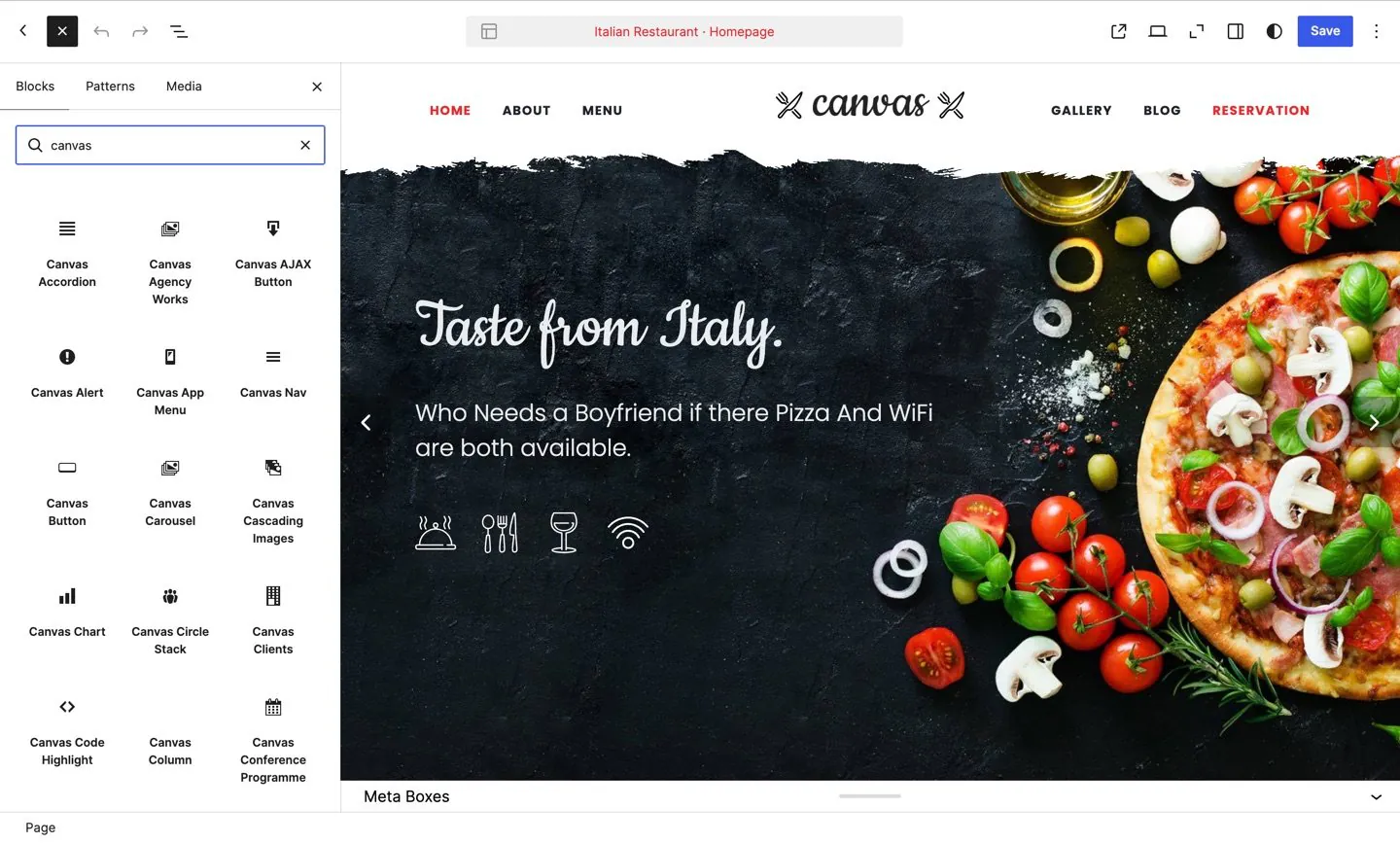
Search for a block by name
- Search by name or by keyword and the Canvas categories come with it
- 183 patterns under the same Patterns tab
- 179 of the 258 blocks are free tier; every plan includes the rest
- A page loads only the CSS and JavaScript of the blocks it contains
Three more things you do here
Headers, demos and copy are not separate applications. They open in the editor this page describes, with the same canvas and the same sidebar.
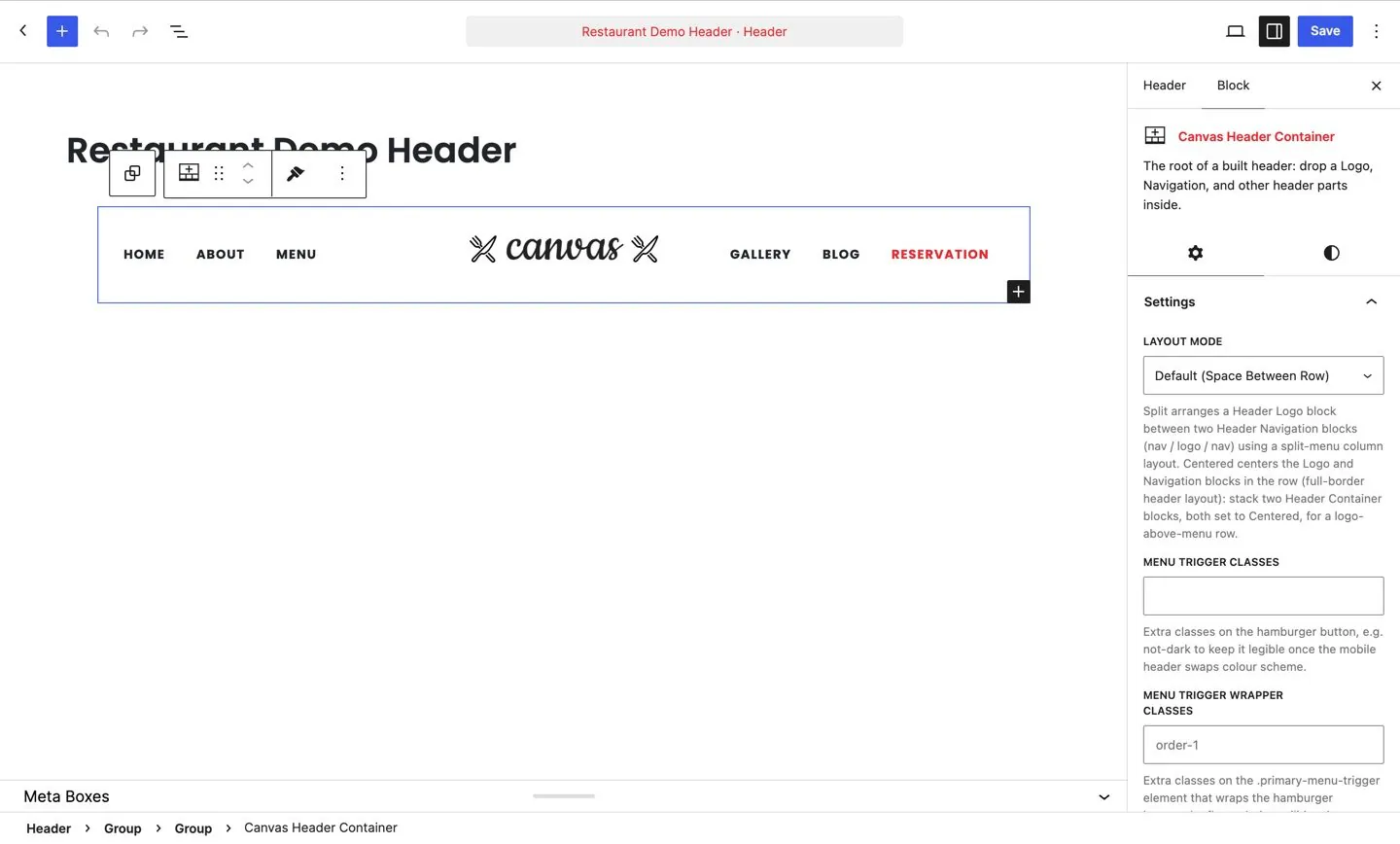
Build the header
A header is a record made of header blocks, edited in the canvas with its layout mode and classes in the sidebar.
Header builder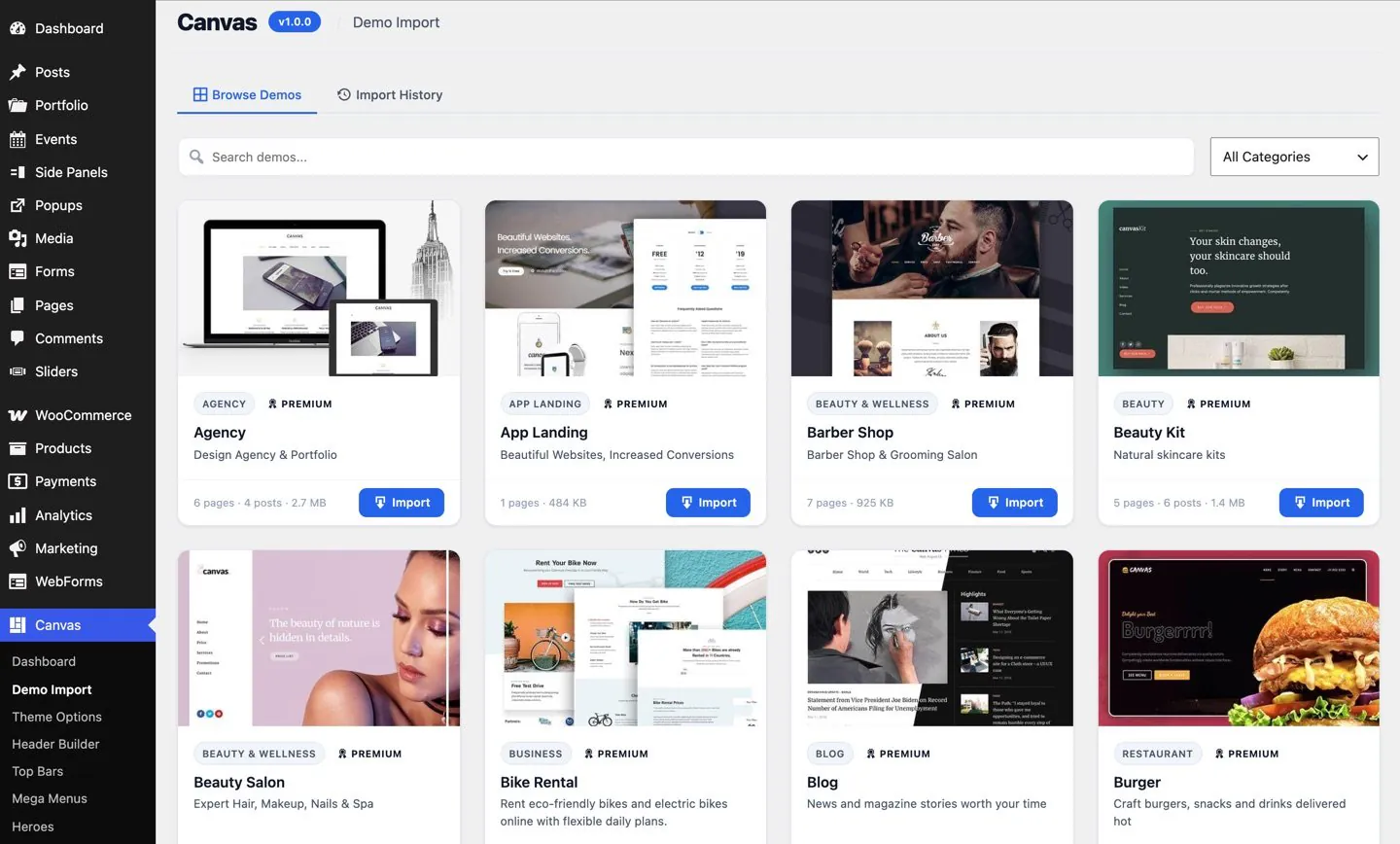
Import a demo
Every demo lists its pages, its size and its category, imports in one click and rolls back the same way.
The demo library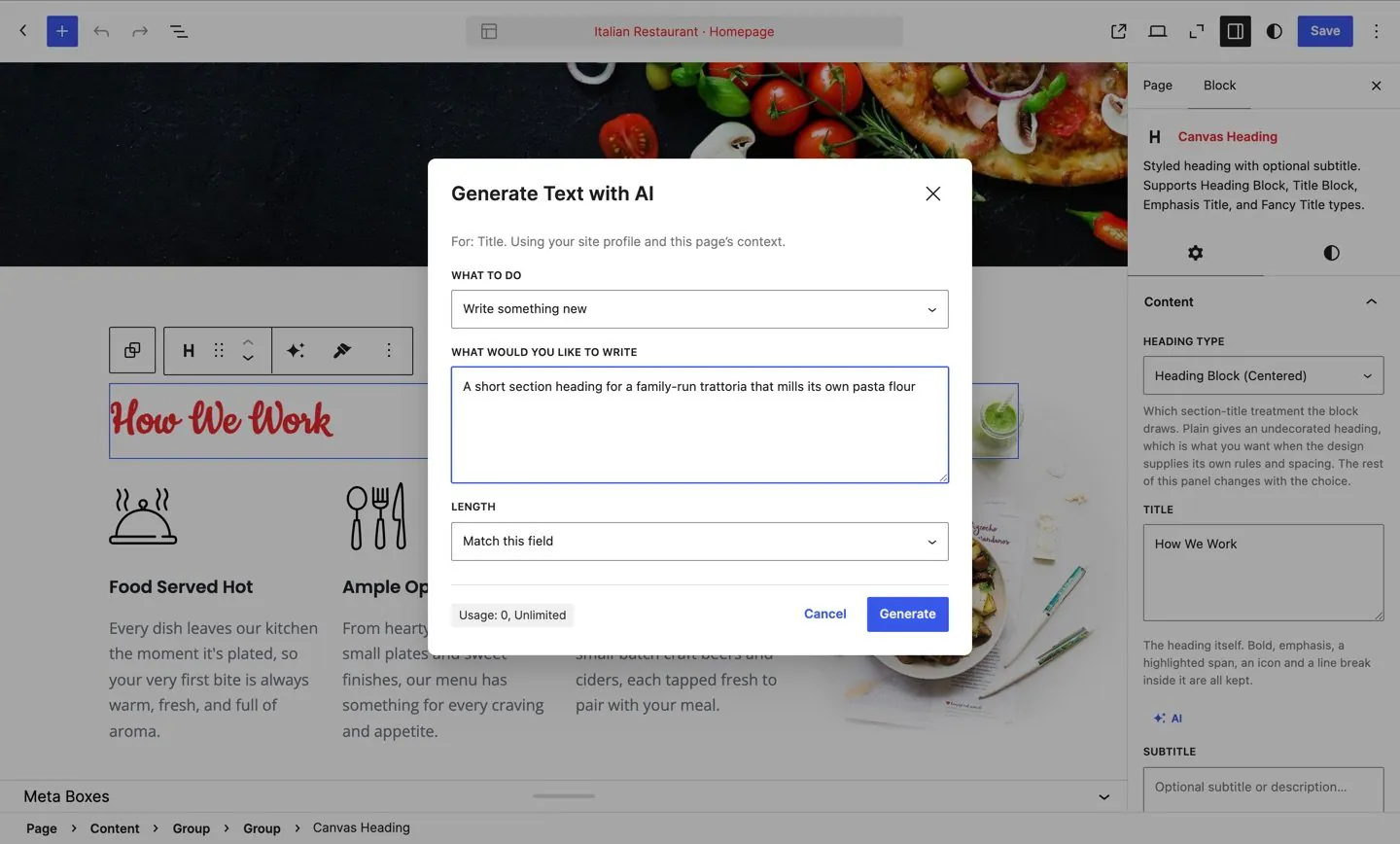
Write the copy
Canvas AI writes into the field you selected, using the site profile you set once, and shows the credit usage as it goes.
Canvas AIDo I need a page builder plugin?
No. Canvas is a WordPress theme with a companion plugin, so every block, header, footer, hero and page title is edited in the block editor and the Site Editor that WordPress ships. There is no second editor to learn, no shortcodes to memorise and no builder licence to renew alongside the theme.
Will my pages break if I switch theme?
Your content is saved as standard block markup, not shortcodes, so core blocks keep rendering under any theme. The Canvas blocks come from the Canvas plugin and not from the theme, so changing theme does not remove them from your posts and pages.
Can I still edit templates in the Site Editor?
Yes. Canvas ships 173 block templates, 5 template parts and 4 style variations, all editable in the Site Editor where WordPress keeps them. Colours and typography come from theme.json, so a change in the Styles panel reaches every page.
What are the advanced options on core blocks?
Animation, custom CSS, custom attributes and display conditions. Canvas adds the same panel to every block type registered on the site, including core blocks and blocks from other plugins, so you are not choosing between a core block and a block with the settings you need.
What stops working when my licence expires?
Nothing on the front end. Your site keeps rendering exactly as it does today, premium blocks included. What pauses is the service: updates, demo imports, AI generation and editing of premium blocks stop until you renew, with a 14-day grace period if a licence check cannot reach our servers.
Build your next website with Canvas
Beginner, freelancer or agency, you get the same blocks, the same demos and the same support. Start with one site and add more when you need them.