

WordPress theme or website builder: who owns what you build
Website builder means two different things, and the answer changes depending on which one you meant. This guide takes the hosted platform question properly, points you at the page builder question, and is straight about the cases where a hosted platform is the better buy.
Part 1: Which comparison you are actually making
Two different comparisons hide behind the same question, and they do not have the same answer. Both are reasonable readings of the same words, so settle which one you mean before anything else.
Reading one: a hosted website builder against WordPress with a theme
A hosted website builder is a service that runs the software, the database and the servers for you. You rent a finished stack and edit through the interface it gives you. WordPress with a theme is the other shape: the software is installed on hosting you choose, the database is yours, and the theme supplies the design and the editing tools on top. This guide is about that comparison, and the sections below take it apart: who owns the site, what moves if you leave, what you get on day one, and what each side costs.
Reading two: a page builder plugin against a block theme
Plenty of people say website builder and mean a builder plugin installed inside WordPress: a second editor, a second layout engine and a widget library, sitting on top of the WordPress you run. That comparison is about editors and storage formats, not about who hosts the site, and it has its own guide.
Block theme or page builder: the other comparison
Canvas compared with eight WordPress products
If your choice is between two WordPress products, read the other guide first. Everything here assumes the site will live on hosting you control.
Part 2: Who owns the website, and where it runs
This is the whole of the first comparison, and every other difference follows from it.
Self-hosted WordPress
The software runs on hosting you rent or own, and your content sits in your database. Pages, posts, menus, forms and media are ordinary WordPress content: nobody can withdraw them, and no account has to be in good standing before you read your own site. Canvas sits inside that arrangement and leaves it intact. The theme and the Canvas Core plugin are released under the GPL v2 or later, so you may use, study, modify and redistribute them, and nothing in the code is obfuscated or set to stop working on a date. What a Canvas licence sells is the service around the code: updates, demo packages and AI credits.
A hosted platform
The platform owns the stack. That is the point of it: you get a site without a server to think about, and in exchange the site runs inside a system you did not choose and cannot inspect. Speaking generally, what leaves with you later is whatever the platform decides an export should contain, and the design usually belongs to the platform and stays there. None of that is dishonest. It is what renting a finished stack means. It is worth knowing before you build three years of pages inside one.
So the real question is not which tool is better. It is how much it would cost you, in time and in money, to leave in three years, and whether that risk is worth the convenience you get today.
Test the exit before you commit, on either side. Export a page from whatever you are considering and look at what actually comes out of the file. Text and images usually survive; the layout is where the surprise lives.
Part 3: What actually moves when you move
Content and layout are two different things, and they travel very differently.
Your content
On a self-hosted WordPress site your content is stored as block markup: plain HTML with structured comments around it. Open any post in the code editor and read it for yourself. Change to another block theme and core blocks keep rendering, because the renderer is WordPress itself. Canvas blocks come from the Canvas plugin, so switching theme leaves them in your posts and pages too. The honest limit is the same one every block library has: remove the plugin as well and those particular sections stop rendering, while your headings, paragraphs, images and lists read normally anywhere.
Your settings
Theme Options export to a file and import into another site, so a configuration you have tuned is not trapped in one installation. Templates and template parts live in the Site Editor where WordPress keeps them, not in a settings screen of ours.
What a builder format costs, and why it is on this page
The same argument decides the other reading of the question. A page laid out in a builder plugin is stored in that builder's own format, so the layout goes when the builder goes and moving is a rebuild page by page. The comparison pages record that difference product by product, in the editor lock-in row. Avada is the plainest case, because a theme carries the builder: its pages are drawn by the Live Visual Builder, so the Avada comparison notes that the layout goes when the theme goes.
Editor lock-in, product by product
Part 4: What a theme with complete demos gives you on day one
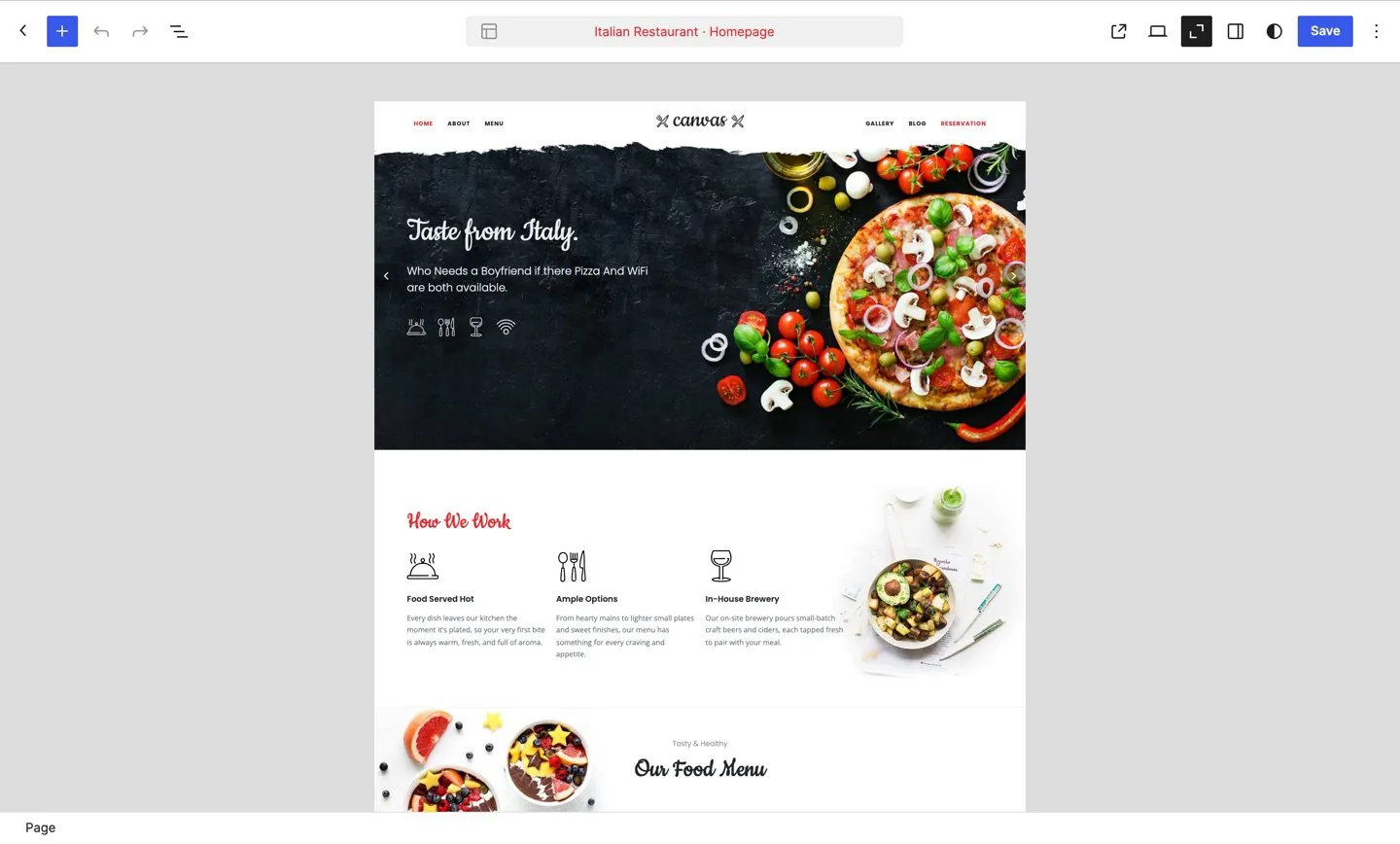
The main argument for a hosted platform is that you are looking at a website twenty minutes after signing up. A theme that ships complete demos answers that argument directly, so compare like for like. A platform against an empty WordPress install is the wrong comparison.
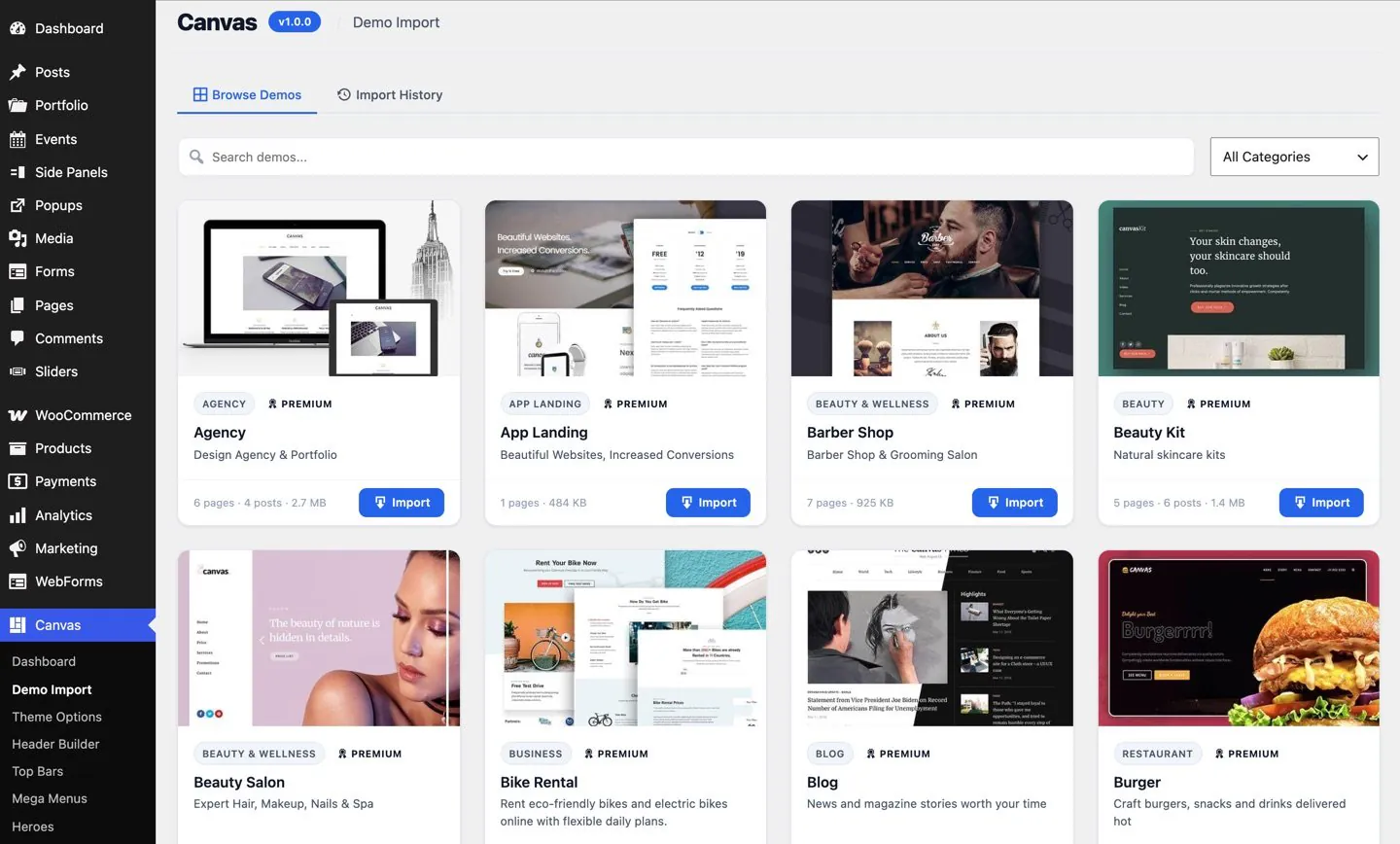
- 80 complete demo websites across 16 categories, each one running as a live preview you can click through before you buy.
- Everything the preview shows. Pages, posts, menus, forms, headers, footers, sliders, popups and custom content types, with the images sideloaded into your own media library.
- Site-wide or page only. A site-wide import adopts the demo Theme Options, menus and front page so later pages match; a page-scoped import brings pages into a site you have built and leaves your settings alone.
- A rollback. Every import is tracked, so one screen removes the demo content and restores the settings that were there before. Trying a demo is reversible.
- Or no demo at all. Skip that step and you have 183 patterns, 173 block templates and 4 style variations to build from instead.
Installation is the setup wizard: 8 steps covering welcome, licence, demo, plugins, recommended tools, import, SEO and done. It installs the plugins a demo needs before the import runs, so a store demo arrives with its store working.
Find the demo for your industry
How a demo import works, step by step
Part 5: What you pay for, and what you keep when you stop
The two models charge for different things. Compare what each payment buys before you compare the two numbers.
The self-hosted bill
You arrange hosting and a domain yourself, and pay for them separately. Canvas is a yearly licence on top of that: Starter at $39 a year for 3 websites, Pro at $89 for 10, and Agency at $199 for 100 plus multisite network activation. A site is one WordPress installation on one domain, staging and development copies are free, and every plan ships the same blocks, patterns and demos, so the site count is the only thing you are choosing between. Renewal is the price you first paid, there is no lifetime plan, and first purchases carry a 7-day money-back guarantee.
What the payment does not decide
Whether your website loads. An expired Canvas licence keeps rendering every page exactly as before, premium blocks included, and pauses the service instead: updates, demo imports, AI and editing of premium blocks. An installation that has never held a licence renders a notice on premium blocks that only signed-in administrators can see, so a visitor is never shown an upsell. On a hosted platform the equivalent question belongs to the platform, because the site is running on its servers, and it is a question to ask on the way in.
Part 6: When a hosted platform is the better choice
A comparison that finds nothing good on the other side is an advertisement. There are real cases where renting the stack is the right call, and pretending otherwise helps nobody.
- You do not want a server in your life. On a self-hosted site the hosting, the other plugins and the data are your responsibility, backups included. A platform takes that away and it is a genuine saving.
- You want one bill and one company. Hosting, domain, software and support arrive together. Canvas does not sell hosting, so the self-hosted route is always at least two suppliers.
- Nobody is going to run updates. If the honest answer is that no one will log in for a year, a platform that updates itself is safer than a WordPress install that quietly falls behind.
- The site is small and short-lived. A landing page for one event does not need an exit plan, and the cost of leaving is nil if you were never going to stay.
- One place to complain. When something breaks at 9am, one support desk that owns the whole stack beats working out whether it is the host, the theme or a plugin.
The trade you accept in return is the one section two describes: the site lives inside a system you do not control, and the bill for leaving arrives later. That is a reasonable bargain for some projects and a bad one for others.
Part 7: Working out which one you need
Five questions, answered honestly, usually settle it.
- Is this site a business asset or an experiment? An asset you expect to own in five years belongs where you can move it. An experiment does not need that protection.
- Who maintains it? If nobody will ever apply an update, the platform is doing you a favour. If you or an agency will, self-hosted stops being a burden and starts being control.
- How many sites are coming? One site can live anywhere. Ten client sites want one design system, one editor and a licence that counts seats.
- What happens when the site outgrows the plan? Ask what the next requirement would look like on each side: a custom content type, a store, a form that writes somewhere you can query, a developer who wants to read the markup.
- What does leaving cost? Ask it now, in writing, on both sides. The answer is a number of days of rebuilding, and it never gets smaller.
If the answers point at self-hosted WordPress, a theme with complete demos is how you get the platform experience without the platform: 80 demo websites to start from, 258 blocks in the editor WordPress already ships, header, footer, page title and slider builders, forms, SEO and 460 Theme Options, on a site that is yours to move.
Where to go from here
Two guides that narrow the question down, and the comparisons behind it.
Common questions
The full FAQ answers the rest, and the documentation covers every setting in detail.
Is running WordPress yourself more work than a hosted platform?
Yes, and it is fair to say so. On a self-hosted site you are responsible for the hosting, the other plugins and the data, so backups, PHP versions and updates land on you. Canvas keeps its own share of that small: the setup wizard covers installation in 8 steps, updates arrive in the normal WordPress updates screen with a temporary backup and a rollback, and automatic patch updates are an opt-in setting. What you buy for the extra work is a site nobody else can switch off.
Can I move a Canvas site to another host, or to another theme?
Yes to both, because nothing is stored somewhere you cannot reach. Pages, posts, menus, forms and media are ordinary WordPress content in your own database, and the theme and plugin code is GPL v2 or later, so it moves with the site. Change theme later and core blocks keep rendering, because the renderer is WordPress itself. Canvas blocks live in the Canvas plugin, so they survive a theme change too. Theme Options travel between sites as an export file.
What happens to the site if I stop paying for Canvas?
It keeps rendering exactly as it does today, premium blocks included, with nothing hidden from visitors and no notice added to your pages. What pauses is the service: updates, new demo imports, AI generation and editing of premium blocks. Renew whenever you like and all of it comes back. If a routine licence check cannot reach our servers, Canvas carries on as normal for 14 days. A network problem should never change how your site behaves.
How many websites does one licence cover, and is hosting included?
Starter covers 3 websites at $39 a year, Pro 10 at $89 and Agency 100 at $199, with staging and development copies free. Hosting is not included and we do not sell it: you choose the host and the domain yourself, which is the trade you are making when you leave a platform that bundles them.
Can I see what I would be buying before I commit?
Yes. All 80 demos run as live websites, with their inner pages, archives and forms in place, so you are judging a working site rather than a screenshot. If you buy and change your mind, ask within 7 days of a first purchase for a full refund.
Build your next website with Canvas
Beginner, freelancer or agency, you get the same blocks, the same demos and the same support. Start with one site and add more when you need them.